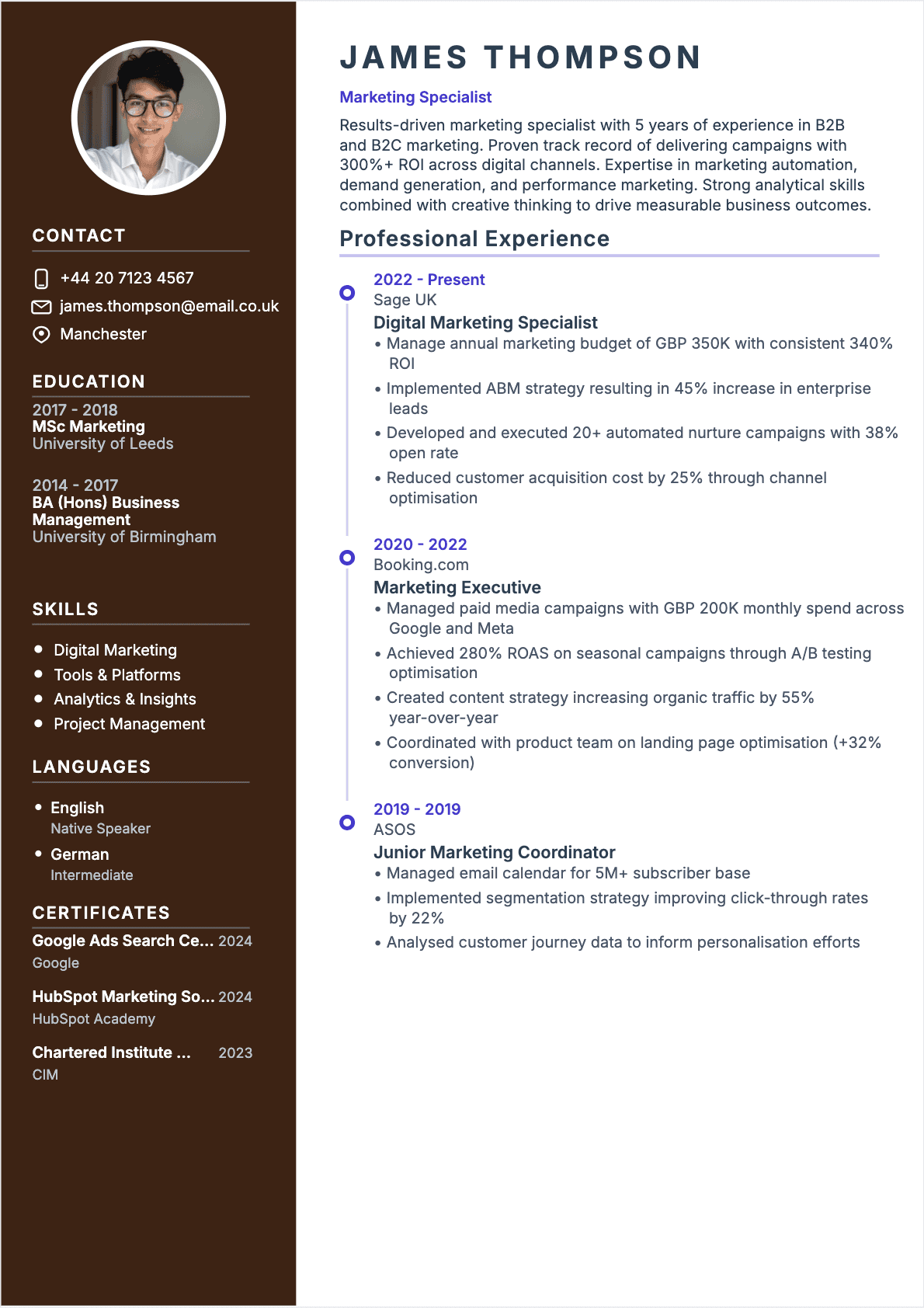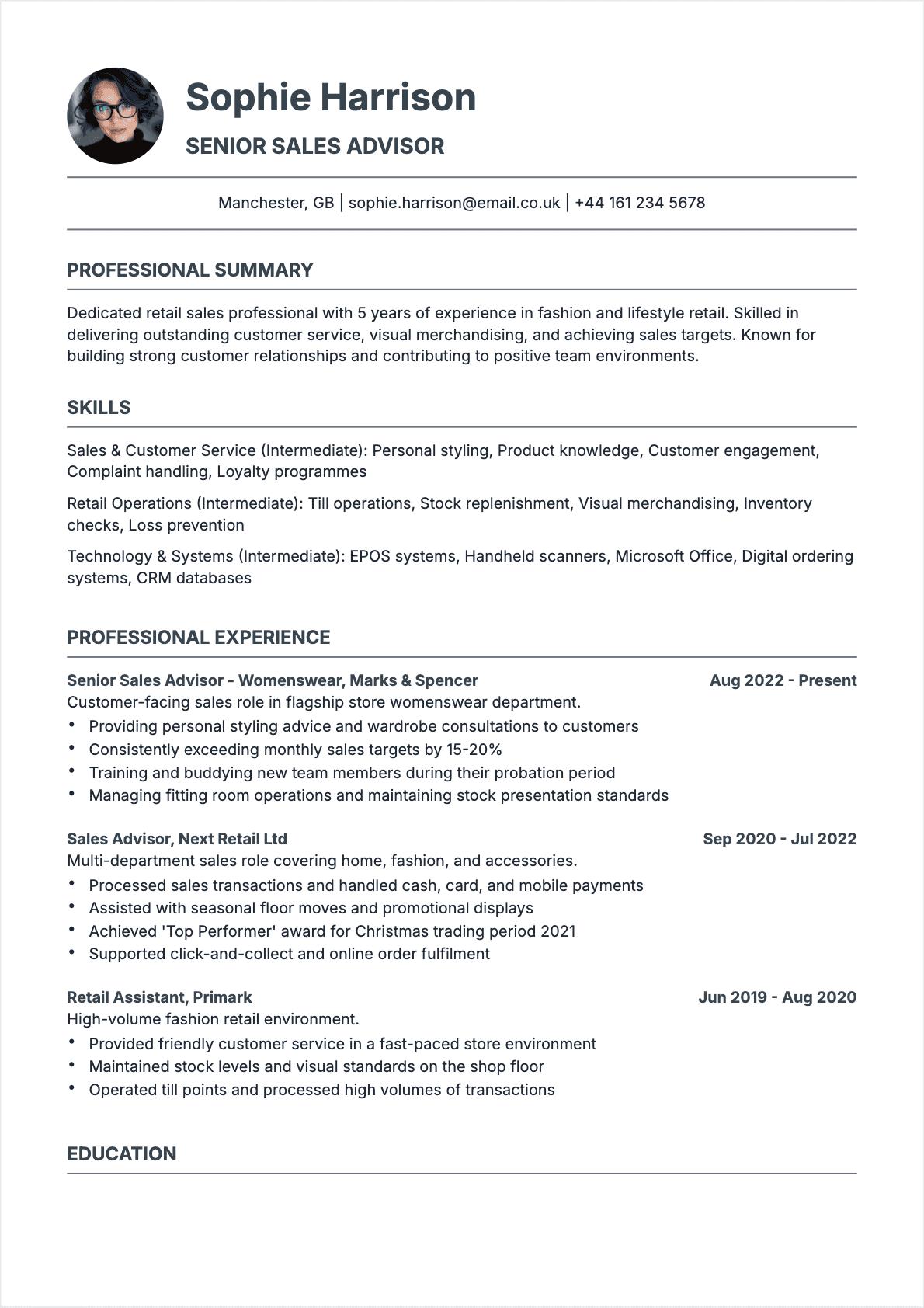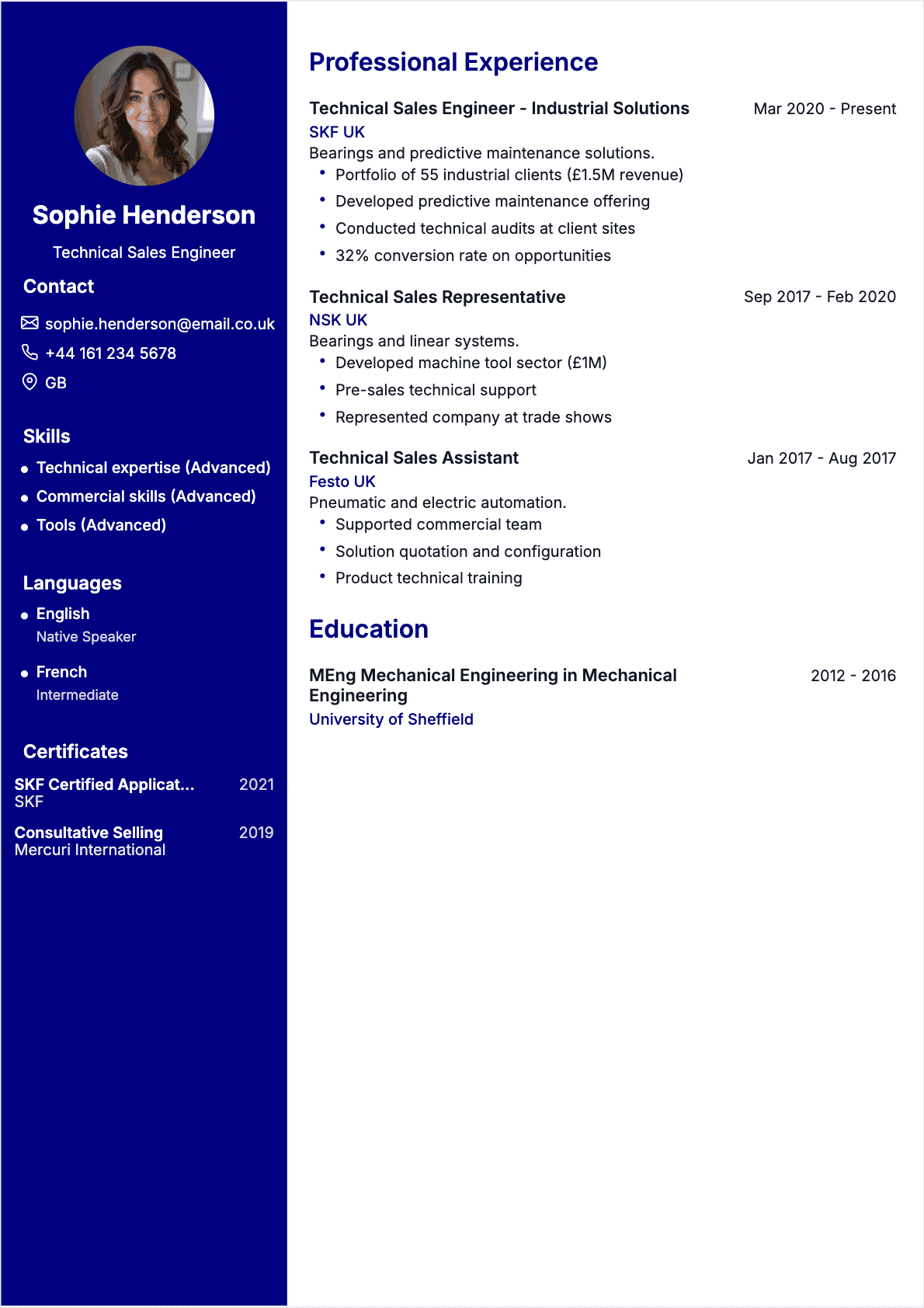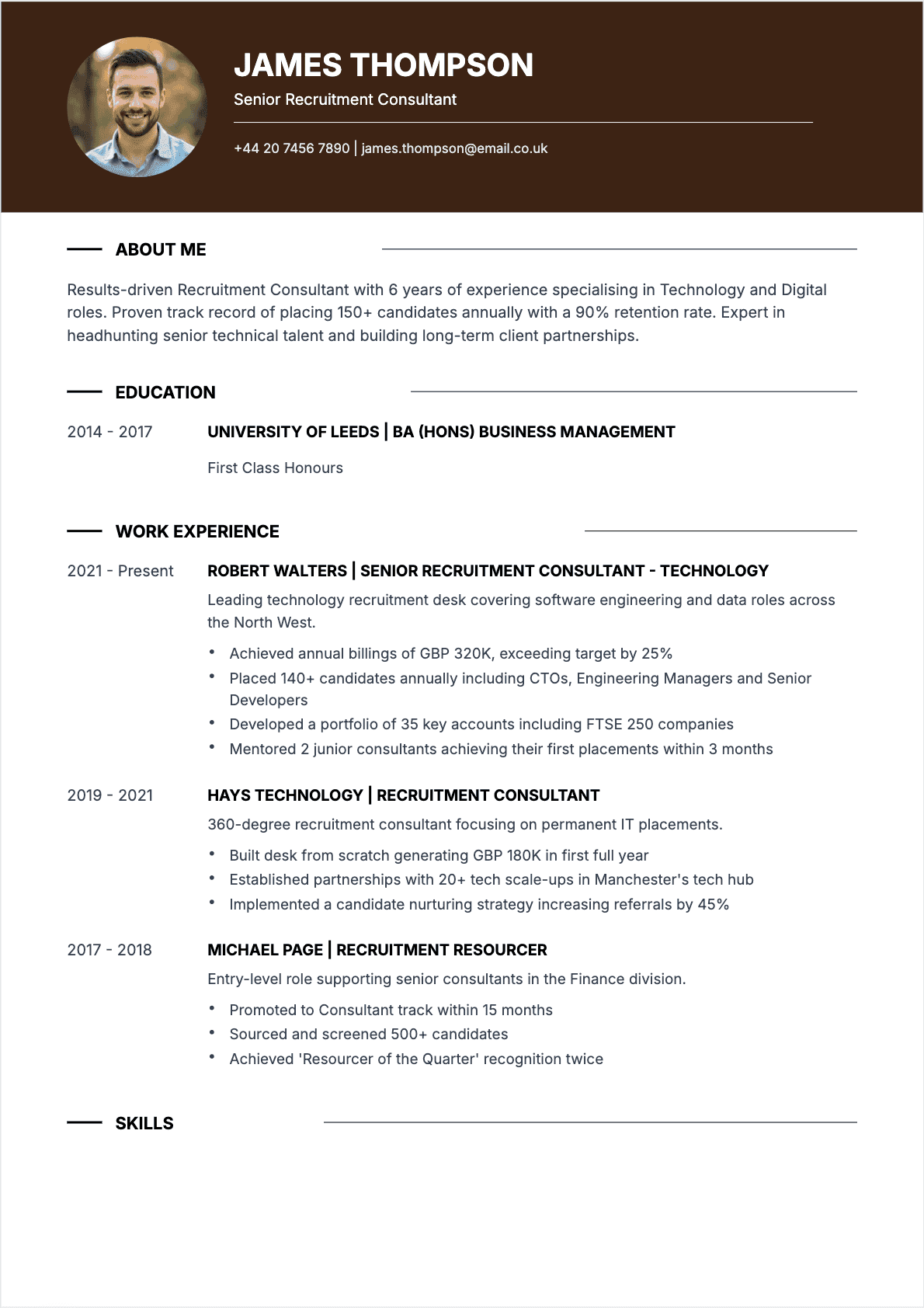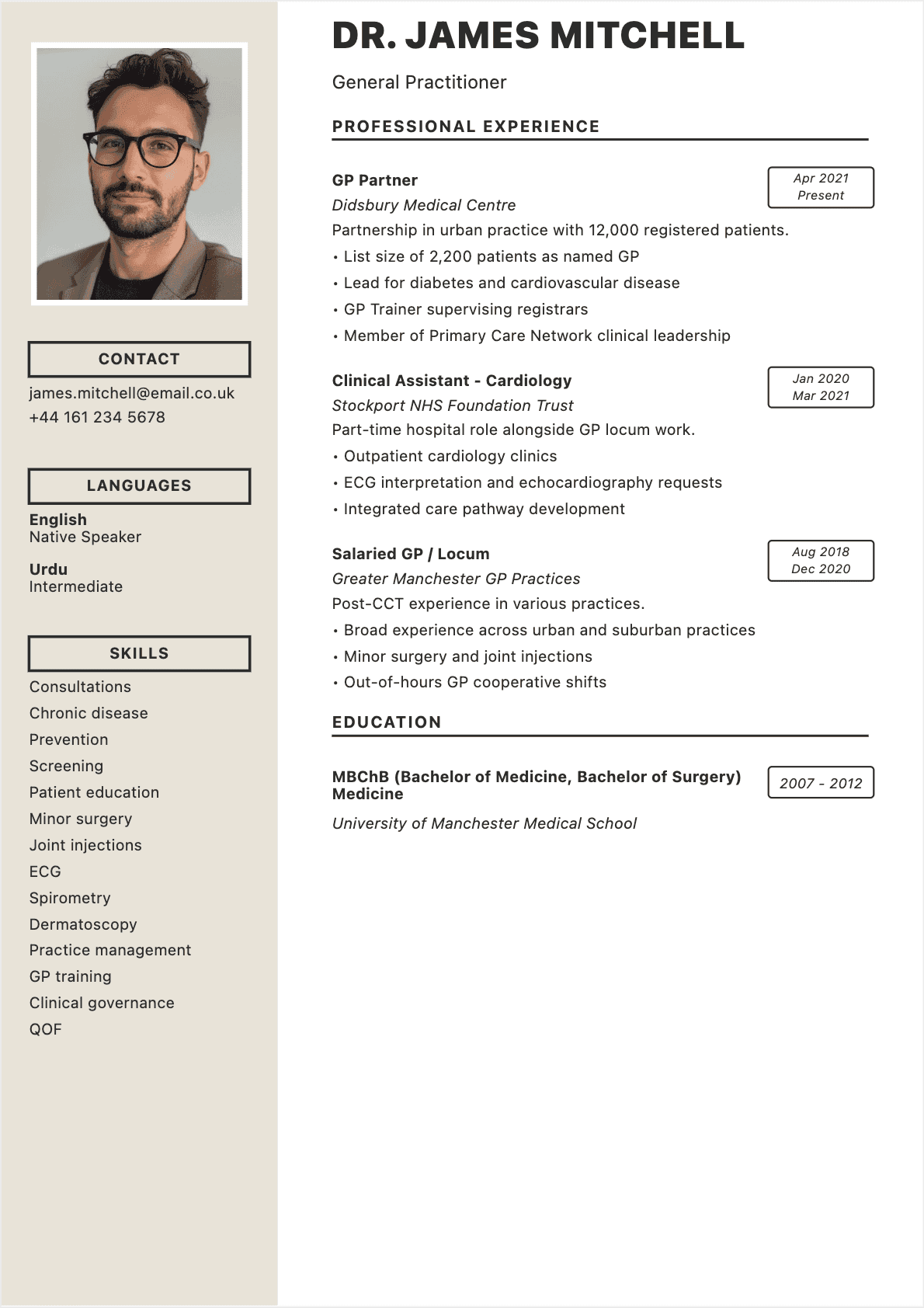

It’s 11 PM on a Sunday, you’ve got a promising job posting open in one tab and a half-finished resume in Word that hasn’t been touched since 2023. The margins are wrong, the formatting breaks every time you add a line, and you genuinely can’t remember whether to include an objective statement. Sound about right?
This is exactly what an online resume builder was designed to fix. These tools replace the guesswork and formatting headaches with structured workflows, professional templates, and intelligent content suggestions. In 2026, the best builders integrate AI-powered writing, real-time ATS scoring, and one-click customization. ✨
But here’s what most "best resume builder" listicles won’t tell you: the tool matters far less than how you use it. I’ve seen candidates produce stunning resumes with free tools and others waste $30 a month on premium platforms while still failing the ATS. The difference comes down to understanding what these tools can and cannot do.
In this guide, I’ll walk you through how online resume builders work, which features actually matter, and a step-by-step process for creating an interview-winning resume in under fifteen minutes. For broader fundamentals, start with our complete guide to writing a resume.
What Is an Online Resume Builder?
An online resume builder is a web-based application that helps you create a professional resume without needing design skills, formatting expertise, or expensive software. Instead of wrestling with tabs and margins in a word processor, you fill in structured fields—your contact information, work history, education, skills—and the builder handles the visual layout automatically.
The concept isn’t new. Resume builders have existed in various forms since the early 2000s. What’s changed dramatically is the sophistication. Modern builders go far beyond simple templates:
- Content generation — AI-powered builders suggest bullet points, professional summaries, and skill descriptions based on your job title and industry
- Real-time formatting — Your resume updates instantly as you type, so you always see the final product
- ATS optimization — The best tools analyze your content against job descriptions and flag missing keywords
- Multi-format export — Download as PDF, DOCX, or plain text—whichever the employer requires
Think of a resume builder as the difference between coding a website from scratch and using a platform like Squarespace. The end product can look equally professional, but one approach takes hours of technical work while the other takes minutes. The key is choosing a builder that produces clean, ATS-compatible output—not all of them do. 💻
Why Use a Resume Builder Instead of Microsoft Word?
Word has been the default resume tool for decades. So why bother with an online builder? The honest answer: Word is fine if you already know what you’re doing. But most people don’t.
Formatting consistency is the biggest advantage. In Word, moving one bullet point can cascade into a formatting disaster. Headers shift, spacing goes haywire, and what looked perfect on your screen prints differently on someone else’s. Builders eliminate this because the layout is template-controlled—you focus on content, the tool handles presentation.
Speed is the second advantage. Professionals who use resume builders spend roughly 40% less time creating their resumes compared to building from scratch in Word. When you’re tailoring each resume for different postings, that time savings compounds fast. ⏱️
Professional design without a designer. Unless you have genuine graphic design skills, your Word resume probably looks like every other Word resume—Calibri, standard margins, nothing distinctive. Modern builders offer polished templates that prioritize readability and ATS compatibility over visual flash.
That said, if you need absolute control over every pixel, Word gives you that freedom. For a middle path, read our guide on creating a resume with Google Docs.
Essential Features Every Good Resume Builder Should Have

Essential features of CV builder - en
After evaluating dozens of platforms for clients—from entry-level retail applicants to Fortune 500 directors—here are the features that actually matter:
1. ATS-friendly templates
This is non-negotiable. Over 98% of Fortune 500 companies use ATS to filter resumes before a human reads them. If your builder produces complex layouts or JavaScript-rendered PDFs, your application goes straight to a digital void. Look for builders that test templates against Workday, Greenhouse, Lever, and iCIMS. 🤖
2. Customizable sections and ordering
A good builder lets you reorder sections, add custom blocks (volunteer work, certifications, publications), and remove anything irrelevant. If the tool locks you into a rigid structure, it’s working against you.
3. Content suggestions and AI assistance
The best builders offer AI-generated bullet point suggestions based on your job title. A good engine transforms "helped customers" into "resolved 40+ customer inquiries daily, maintaining a 96% satisfaction rating."
4. Real-time preview
You should see your finished resume as you build it, not after you click "generate." Real-time previews catch spacing issues and awkward line breaks before you finalize.
5. Multiple export formats
PDF is the standard for most applications, but some employers specifically request DOCX. Your builder should support both, and the output should be clean in either format. Bonus points for tools that also offer a shareable web link for your resume.
6. Data privacy and security
Your resume contains sensitive personal data. Make sure the platform has clear privacy policies, doesn’t sell your information to data brokers, and lets you permanently delete your account. 🔒
How to Choose the Best Online Resume Builder
Hundreds of resume builders are competing for your attention. Here’s the framework I use when recommending tools:
Start with your specific needs.
Are you an entry-level candidate who needs help writing content from scratch? A senior professional who already has strong bullet points but needs better formatting? A career changer who needs to reframe existing experience for a new industry? Different tools excel at different things. If you’re looking at this from a no-experience perspective, our guide on building a resume with no experience pairs well with any builder you choose.
Test before you commit.
Never pay without trying first. Enter a basic profile and evaluate the output. Does it sound professional? Is the formatting clean? Can you download without hitting a paywall? 🔍
Read the fine print on free tiers.
Many builders advertise as "free" but restrict downloads, add watermarks, or limit you to one template. Others offer genuinely useful free tiers. Understand exactly what "free" means before investing your time.
Check ATS compatibility claims.
The simplest ATS test: download a PDF, select all text, and paste into a plain text editor. If the text appears in correct order with no garbled characters, the resume is ATS-compatible. If you get gibberish or out-of-order text, the builder uses formatting that ATS cannot parse.
Consider the ecosystem.
Some builders offer additional tools—cover letter generators, LinkedIn profile optimization, interview prep—that might be worth the investment if you’re doing a comprehensive job search. CVtoWork, for example, integrates resume building with job-description matching and ATS scoring in a single platform.
Free vs Paid Resume Builders: An Honest Comparison

Free vs paid resume builder comparison - en
"Do I really need to pay for a resume builder?" It depends on your situation. Let me break it down honestly.
What free builders typically offer:
- Basic templates (usually 3–5 designs)
- Standard section layouts (experience, education, skills)
- PDF download (sometimes with watermarks)
- Limited or no AI content suggestions
- Enough to create a functional, if unremarkable, resume
What paid builders add ($8–$30/month):
- 20–50+ professional templates
- AI-powered content generation and optimization
- ATS scoring and keyword analysis
- Multiple resume versions for different applications
- Cover letter builder
- Watermark-free downloads in multiple formats
- Priority customer support
My honest recommendation: if you’re applying to fewer than five positions, a free builder can get the job done. But if you’re in active job-search mode—applying to ten or fifty positions—a paid tool’s time savings pay for themselves many times over. One extra interview from a better-optimized resume is worth far more than $20. 💰
How to Create a Resume with an Online Builder (Step by Step)
Here’s the exact process I walk clients through. It works with virtually any online resume builder and consistently produces strong results in under fifteen minutes:
Step 1: Gather your raw materials (2 minutes)
Before opening any tool, collect these: your most recent resume or LinkedIn profile, the job description you’re targeting, and a quick list of your top achievements with numbers attached. Revenue figures, percentage improvements, team sizes, project budgets—anything quantifiable. This preparation step is the single biggest determinant of output quality. 📋
Step 2: Enter your information (3 minutes)
Fill in the structured fields: contact details, work history, education, skills, and certifications. If the builder supports LinkedIn import or resume upload, use it—it saves time and reduces the risk of typos. Pay special attention to job titles and dates; these are the first things ATS software validates.
Step 3: Use AI suggestions strategically (3 minutes)
If your builder offers AI-generated bullet points, use them as a starting framework, not a final product. Review each suggestion and replace generic language with your specific metrics. Change "managed cross-functional projects" to "led 12-person cross-functional team that delivered $2.3M enterprise migration 3 weeks ahead of schedule." The AI gives you the structure; you provide the substance.
Step 4: Optimize for the target role (3 minutes)
Compare your resume against the job description. Are the critical skills and keywords present? Are you using the same terminology as the employer? If the posting says "project management" and your resume says "program oversight," you’re losing keyword matches. Align your language with the posting without being dishonest about your experience. For guidance on which skills to feature, see our list of the best resume skills for 2026.
Step 5: Choose a template and proofread (4 minutes)
Select a clean, ATS-compatible template. Read the entire resume aloud—yes, aloud. This catches awkward phrasing, run-on sentences, and errors that your eyes skip over when reading silently. Check that all dates are consistent, company names are spelled correctly, and your contact information is current. Export as PDF with a professional filename: FirstName_LastName_Resume.pdf.
ATS Optimization: How Builders Help You Beat the Bots
Over 98% of Fortune 500 companies use ATS to filter applications, and the technology has spread to mid-size companies, government agencies, and startups alike. Understanding how ATS interacts with your resume is essential.
Here’s what happens when you submit your resume through an ATS:
- Parsing — The system extracts text from your document and attempts to categorize it into fields: name, contact info, work history, education, skills
- Keyword matching — Your resume is scored against the job description based on keyword overlap, with priority given to hard skills, certifications, and job-title matches
- Ranking — Your application is ranked against other candidates, and only the top-scoring resumes are forwarded to human reviewers
- Storage — Your resume is stored in the company’s database for future searches, which means a well-optimized resume can surface for positions you didn’t even apply to
Online resume builders give you a genuine edge here because they produce inherently ATS-friendly output—clean headings, standard labels, single-column layouts, properly encoded PDFs. Compare this to Canva or Photoshop, where the visual layout looks stunning but the text structure is a scrambled mess ATS cannot interpret. ✅
Some builders go further and offer ATS score previews—you paste the job description, and the tool estimates how well your resume would score against that posting. CVtoWork includes this feature, highlighting missing keywords and suggesting where to add them naturally. This turns ATS optimization from guesswork into a data-driven process. For a deeper understanding of resume formatting and ATS, check out our guide to the best resume formats for every career stage.
Common Mistakes When Using Resume Builders

Common resume builder mistakes - en
Having reviewed thousands of resumes created with online builders, I can tell you that the tool is rarely the problem—it’s how people use them. Here are the mistakes I see most frequently, and they’re all avoidable:
Mistake 1: Using the default text without editing
Most builders pre-populate sections with sample text or AI suggestions. Shockingly, a significant number of candidates submit resumes with this placeholder content still intact. I once received a resume where the professional summary began with "Motivated professional with X years of experience in [Your Industry]."—brackets and all. Always replace every placeholder with your actual information. 🚩
Mistake 2: Choosing style over substance
Flashy templates with sidebars, icons, progress bars for skills, and colorful headers look great in the builder’s preview gallery. They also fail catastrophically with most ATS software. That progress bar showing you’re "85% proficient in Python" tells the ATS absolutely nothing. Stick with clean, single-column layouts that prioritize readability.
Mistake 3: Submitting the same resume everywhere
The entire point of using a builder is efficiency at customization. Yet most candidates create one version and send it unchanged to every posting. Take five minutes per application to adjust keywords, reorder bullet points, and tweak your professional summary for the specific role. The builder makes this fast—take advantage of it.
Mistake 4: Ignoring the professional summary
Many candidates skip the summary or leave the AI’s generic version. Your professional summary is the first thing a recruiter reads after your name and job title. It should be 3–4 sentences that position you specifically for the target role: your years of experience, your core strengths, and what you bring to the table. For a complete list of pitfalls, see our article on the top 10 most common resume mistakes.
Mistake 5: Not proofreading the final output
Builder-generated resumes can have subtle issues: inconsistent date formatting, redundant bullet points across different jobs, or AI-suggested metrics that don’t match your actual experience. Always read the final PDF from top to bottom before submitting. Better yet, have someone else review it.
AI Resume Builders vs Traditional Generators: What’s Different?
The terms "resume builder," "resume generator," and "AI resume builder" get used interchangeably, but they refer to meaningfully different tools. Understanding the distinction helps you choose the right one for your needs:
Traditional resume generators
These are essentially template engines. You input your data, select a design, and the tool arranges your information into that template. The tool has no understanding of your content—it doesn’t know whether your bullet points are strong or weak, whether you’ve included the right keywords, or whether your resume is appropriate for your target role. Think of it as a formatting tool, nothing more.
AI resume builders
These tools use large language models (similar to ChatGPT, Claude, or Gemini) to actually understand and generate content. They can analyze a job description, identify the skills and qualifications the employer is looking for, and help you write bullet points that match. They can rewrite weak statements, suggest quantified achievements, and flag potential issues. For a detailed comparison, read our guide to AI resume builders and how to get the most from them. 🧠
The practical difference is significant. With a traditional generator, the quality of your resume depends entirely on the quality of your input—if you write mediocre bullet points, you get a beautifully formatted mediocre resume. With an AI builder, the tool actively improves your input. It might take "did data analysis" and suggest "analyzed 50,000+ monthly data points to identify revenue optimization opportunities, contributing to a 15% increase in quarterly sales."
That said, AI builders are not a substitute for your own critical thinking. The AI doesn’t know your career, your goals, or what makes you uniquely valuable. It’s a power tool—incredibly efficient in skilled hands, potentially dangerous in careless ones.
Real Results: What Users Say About Online Builders
Data tells one story, but real experiences tell another. Here’s what I’ve observed working with candidates who switched from manual resume creation to online builders:
The career changer
A former high school teacher transitioning into corporate Learning & Development used an online builder with AI assistance to reframe her classroom experience. Instead of "taught AP History to 120 students," the AI helped her write "designed and delivered curriculum for 120+ learners, achieving a 94% exam pass rate through data-driven instruction methods." She landed three interviews in her first two weeks of searching—up from zero interviews in the previous month using her Word-formatted resume. 🎯
The recent graduate
A 2025 computer science graduate had a solid portfolio of class projects and one internship but couldn’t get past ATS filters. An online builder helped him restructure his resume to lead with technical skills, properly format his project descriptions with impact metrics, and include the exact keywords from target job postings. His application-to-interview conversion rate went from roughly 2% to 11%.
The executive
A VP of Marketing at a mid-size SaaS company used a builder as a starting framework but heavily customized the output. She found the AI suggestions useful for technical skill sections and the ATS optimization tool valuable for keyword alignment, but wrote her professional summary and leadership narrative from scratch. The builder saved her approximately three hours compared to building from a blank Word document.
The pattern across these examples is clear: online resume builders deliver the most value when users treat them as collaborative tools rather than fully automated solutions. The candidates who got the best results all invested time in customizing the output with their own authentic details and metrics. Head over to our resume examples to see what finished, professional resumes look like across different industries.
Alternatives to Online Resume Builders
Online resume builders aren’t the only option, and they’re not always the best fit. Here’s an honest look at the alternatives and when each makes sense:
Microsoft Word or Google Docs
If you already have a well-formatted resume template and strong writing skills, a word processor gives you maximum control. Google Docs in particular has improved its template gallery significantly—our guide to creating a resume with Google Docs walks through the process. The tradeoff is that you lose ATS scoring, AI assistance, and design consistency.
Professional resume writers
For executives or career changers with complex backgrounds, hiring a professional writer ($200–$1,000+) can be worthwhile. The best writers bring industry expertise and narrative craft that AI cannot match. The downside is cost and turnaround time—usually 5–10 business days.
ChatGPT or Claude directly
You can absolutely use a general-purpose AI chatbot to help write resume content. The limitation is that you lose the structured workflow, visual templates, and ATS-specific optimization that dedicated builders provide. You’ll also need to handle formatting yourself. It works in a pinch, but it’s a more manual process.
LaTeX resume templates
Popular among engineers and academics, LaTeX produces beautifully typeset documents but has a steep learning curve and some ATS systems struggle with its PDF output. Smart for tech companies that value LaTeX as a signal; overkill for everyone else. 🛠️
Canva and design tools
Canva offers attractive resume templates, but many are ATS-hostile. Complex layouts and non-standard text positioning look great on screen but produce garbled ATS output. Use Canva only when submitting directly to a person, never through an online application portal.
Final Takeaway: Build Your Resume in Minutes
An online resume builder is a tool—a very good tool—but a tool nonetheless. It won’t magically qualify you for jobs you’re not suited for, and it won’t replace the hard work of understanding your career story. What it will do is eliminate the mechanical barriers between your experience and a professionally presented resume.
Here’s your action plan:
- Choose a builder that prioritizes ATS compatibility and offers AI-assisted content generation. CVtoWork is an excellent starting point.
- Prepare your materials before you start building. Gather achievements, metrics, and target job descriptions.
- Use AI suggestions as drafts, not final copy. Always replace generic language with your specific accomplishments.
- Customize for every application. Tailor keywords, bullet points, and your professional summary to each posting.
- Proofread ruthlessly. Read aloud, check every metric, and have someone else review the final version.
- Export as PDF with a clean filename and submit with confidence. 🚀
The 2026 job market is competitive, but candidates who combine strong experience with smart tools have a genuine advantage. An online resume builder won’t get you the job—but it will get your resume in front of the right people.
For more tactical advice on formatting, skills selection, and resume structure, explore our comprehensive resume writing guide and best resume formats article.
FAQ: Online Resume Builders
These are the questions I hear most often from job seekers evaluating online resume builders:
Are online resume builders really free?
Some are, but "free" often comes with caveats. Many builders let you create a resume for free but charge to download it, limit you to one or two basic templates, or add a watermark. Genuinely free tools like CVtoWork’s free tier let you build and download a complete resume without restrictions on essential features. Always check the download step before investing time building your resume.
Can I customize a resume created with an online builder?
With any reputable builder, yes. You should be able to edit every section, reorder blocks, add custom fields, and modify the AI’s suggestions freely. If a builder locks you into rigid templates with no customization, it’s not worth using. The best tools treat templates as starting points, not straitjackets.
Are resumes from builders ATS-compatible?
The best builders produce ATS-compatible output by default—clean formatting, standard section headings, and properly encoded PDFs. However, not all builders prioritize this. Test any builder by downloading a PDF, selecting all text, and pasting it into a plain text editor. If the text appears in the correct reading order, it’s likely ATS-safe. Avoid builders with complex multi-column layouts or embedded graphics.
What’s the difference between a resume builder and an AI resume maker?
A traditional resume builder is primarily a formatting tool—you provide the content, and it arranges it in a template. An AI resume maker goes further by generating, rewriting, and optimizing your content using artificial intelligence. AI tools can suggest bullet points, match your resume to job descriptions, and identify keyword gaps. Both produce professional-looking resumes, but AI tools actively improve your content quality.
Can I download my resume as a PDF?
Most builders support PDF download, which is the recommended format for job applications. Some also offer DOCX for situations where employers specifically request it. Ensure the PDF output is text-based (not an image scan) so ATS software can parse it correctly. A few builders also offer shareable web links and plain-text exports.
Is a resume builder good for entry-level candidates?
Absolutely. In fact, entry-level candidates often benefit the most from resume builders because they provide structure and content suggestions that compensate for limited work experience. AI-powered builders can help you frame internships, class projects, volunteer work, and part-time jobs in compelling, professional language. Pair a builder with our guide on creating a resume with no experience for the best results.
Do I have to pay to remove watermarks?
It depends on the builder. Some free tools add watermarks to downloaded PDFs and charge $5–$15 to remove them. Others, including CVtoWork, provide watermark-free downloads even on their free tier. Check the export step before you start building—there’s nothing more frustrating than spending 30 minutes on a resume only to discover a watermark across the final page.
How do I edit a resume I already created with a builder?
Most builders save your resume to your account, so you can return anytime to make changes. Log in, select the resume you want to edit, make your updates, and re-export. This is one of the key advantages over Word—your resume is stored in the cloud, accessible from any device, and the formatting stays consistent even after multiple rounds of editing. Some builders also maintain version history so you can revert to earlier drafts.
— Eleanor Ashford, former tech recruiter turned career strategist