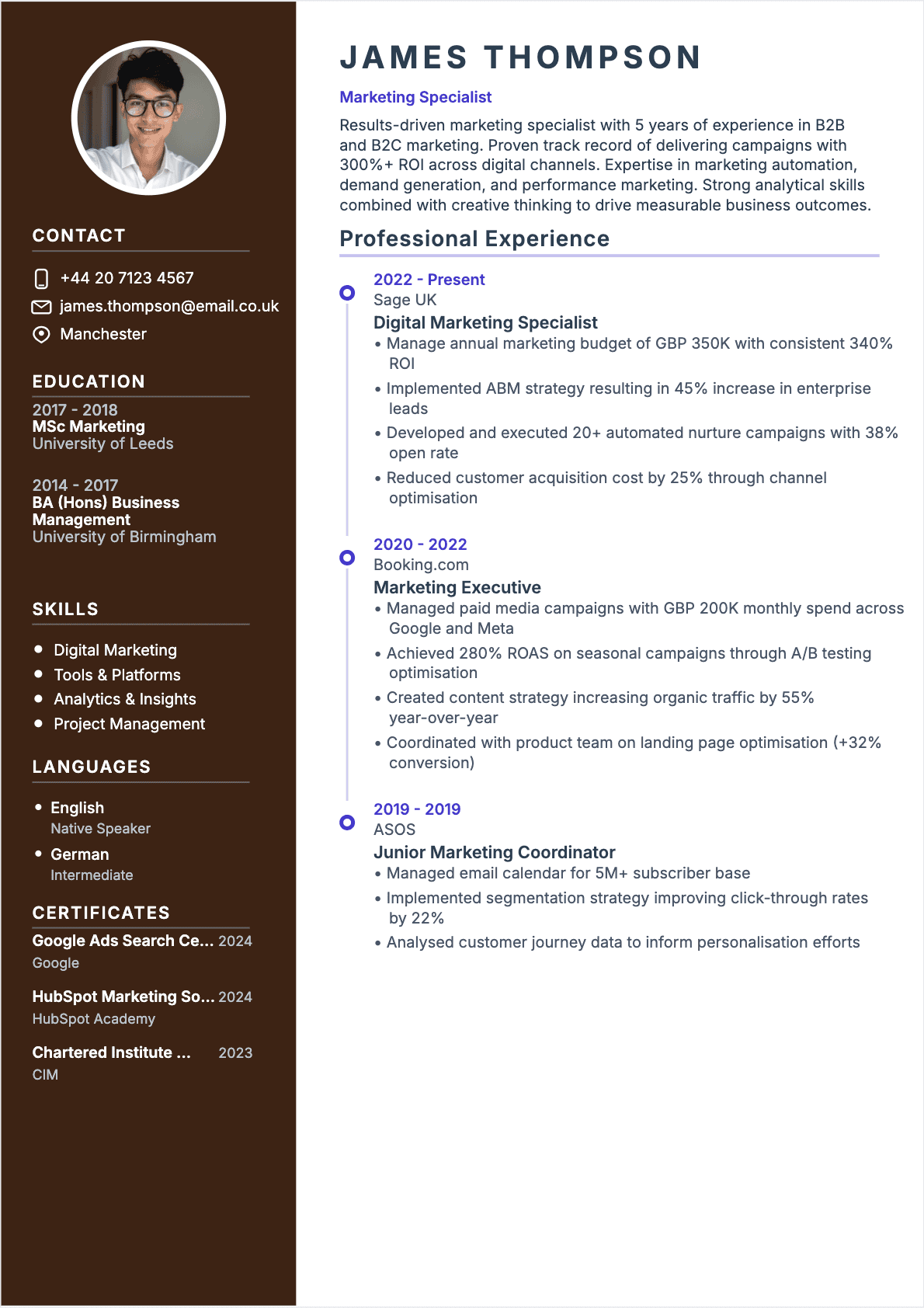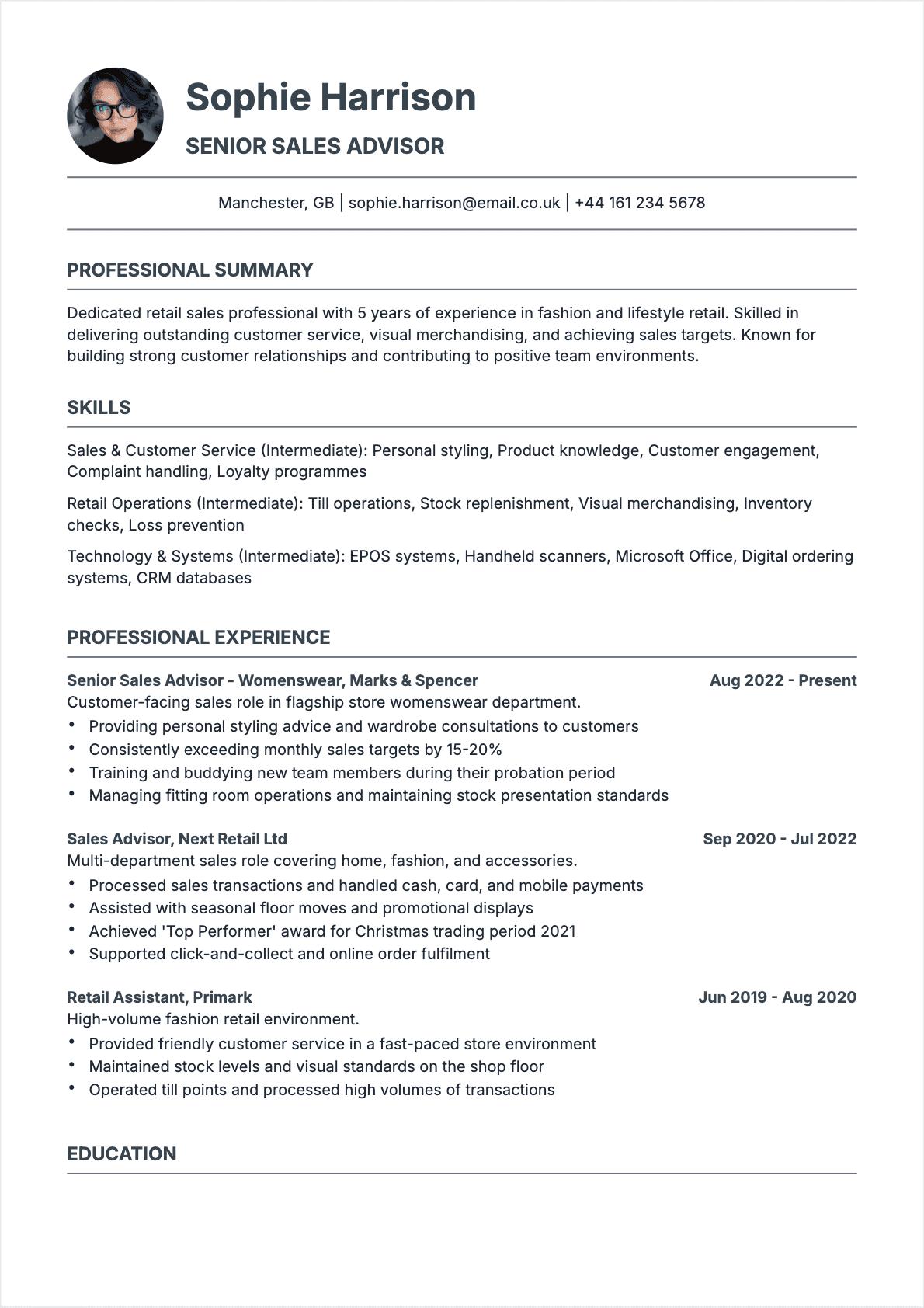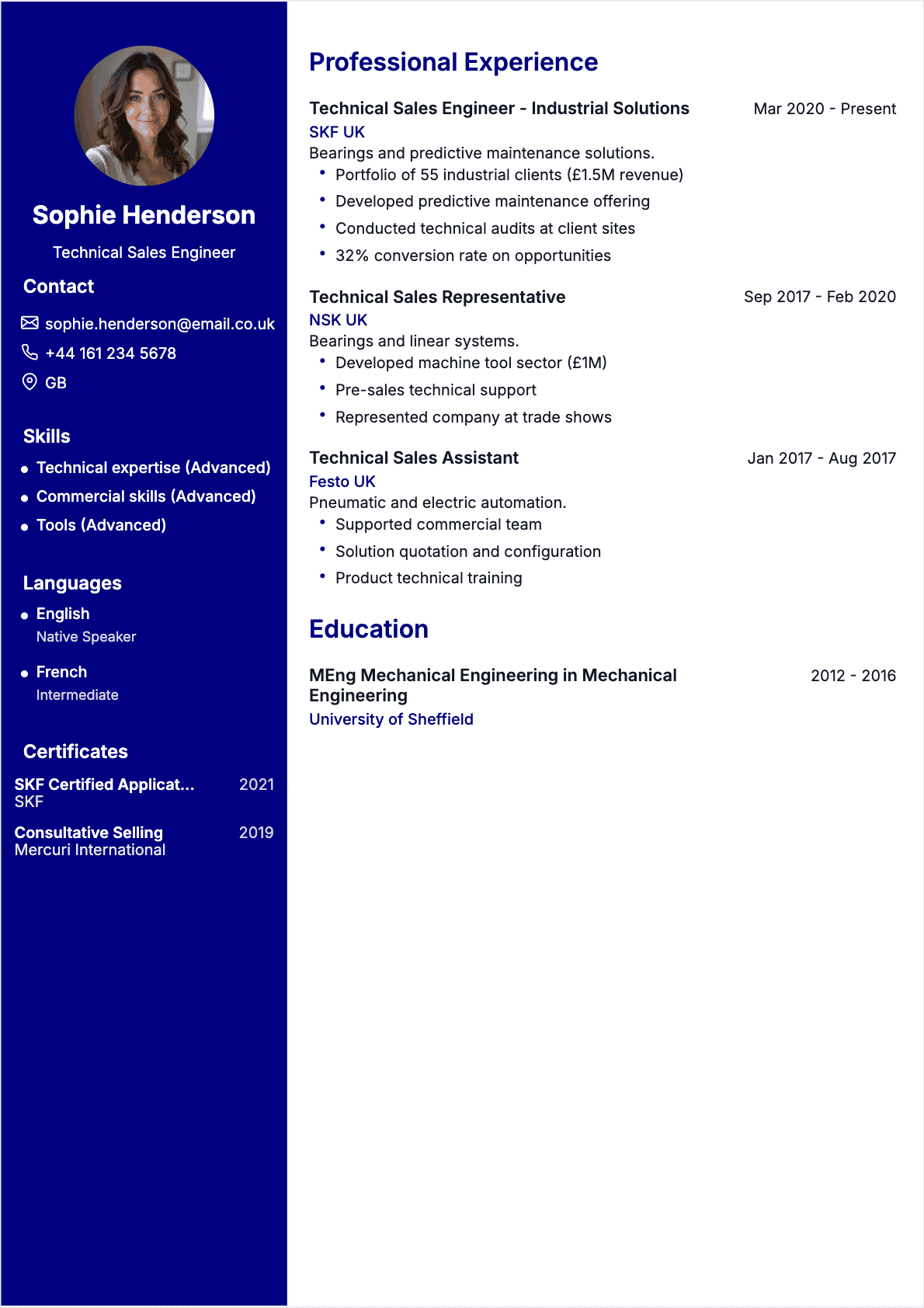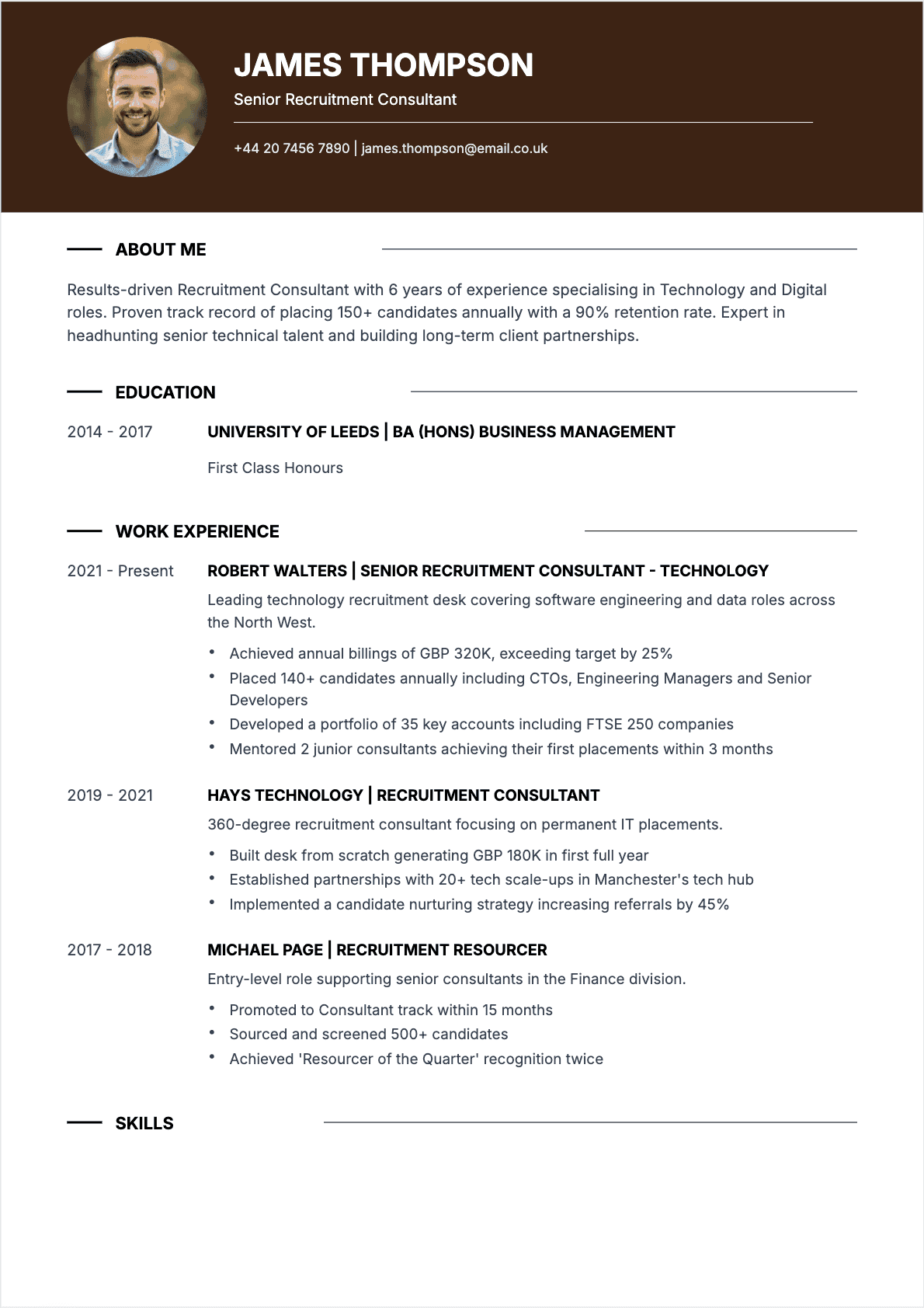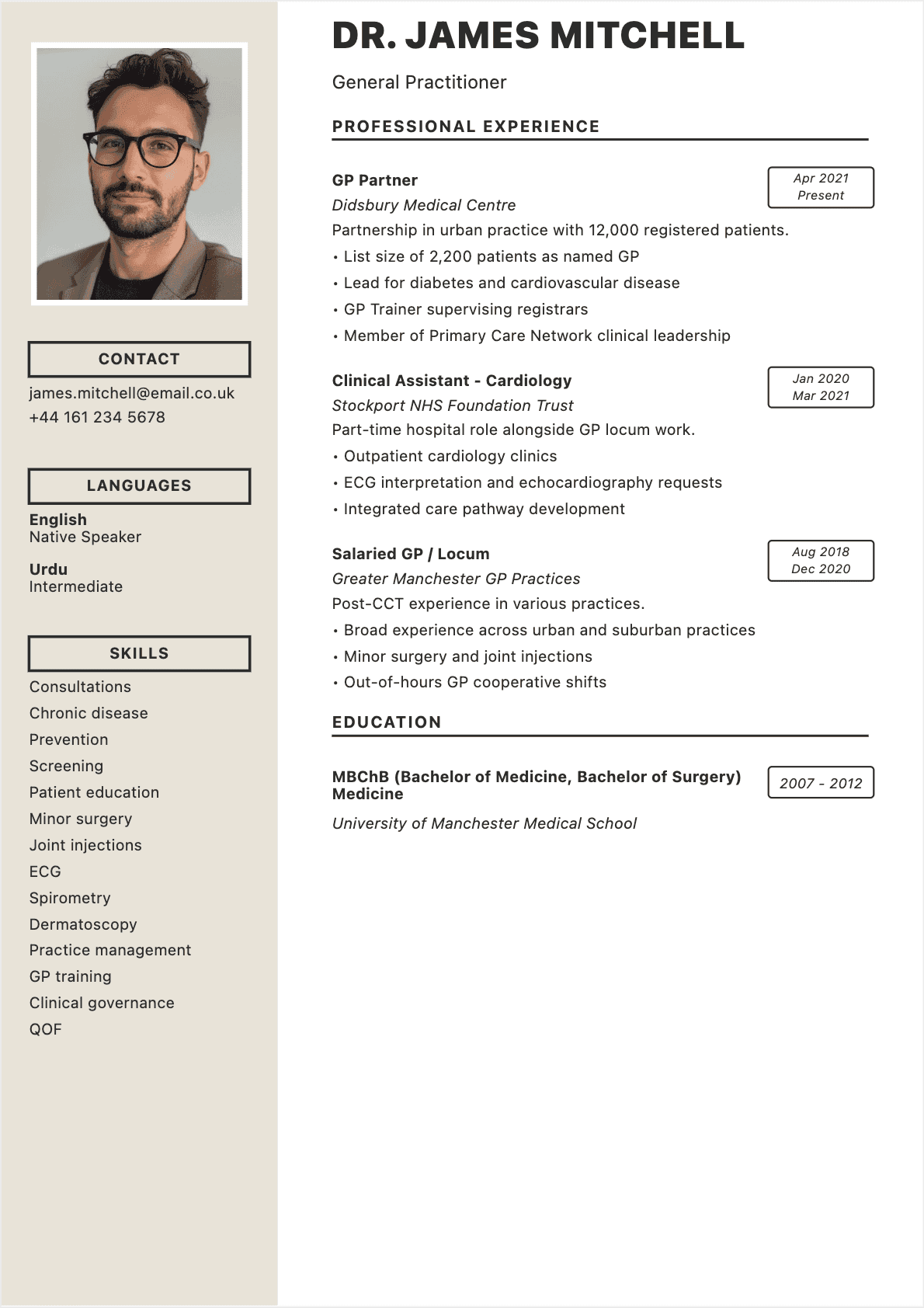

After eight years of reviewing resumes as a tech recruiter in London and New York, I can tell you one thing with absolute certainty: the format you choose determines whether your resume gets read or gets binned. Not your experience. Not your skills. The format.
I've watched stellar candidates get filtered out because they picked the wrong structure for their situation. A career changer who buried transferable skills under a rigid chronological timeline. A senior engineer whose functional resume raised red flags about employment gaps that didn't actually exist. A marketing manager whose combination format was so cluttered the ATS couldn't parse a single keyword.
Here's the reality of job hunting in 2026: recruiters spend an average of 7.4 seconds scanning your resume before deciding its fate. Applicant Tracking Systems reject up to 75% of applications before a human ever sees them. And with 400+ applicants per corporate role, your format is either working for you or actively working against you. 📩
This guide breaks down the three major resume formats — chronological, functional, and combination — with honest assessments of when each one shines and when it falls flat. You'll get concrete examples, ATS compatibility insights, and a decision framework so you never have to wonder which format to use again.
Whether you're writing your first resume or overhauling one that's been collecting digital dust since 2021, you'll find your answer here. Let's start with why this decision matters so much more than most candidates realize.
Why Resume Format Matters More Than You Think
Most job seekers spend hours polishing bullet points and agonizing over action verbs, then spend roughly 30 seconds choosing a format. That's backwards. Your resume format is the architecture of your entire application — it determines what recruiters see first, how they navigate your experience, and whether ATS software can even read your content.
Think of it this way: you could write the most compelling sales pitch in the world, but if you printed it on a crumpled napkin, nobody would take it seriously. Format is the container that either elevates or undermines everything inside it. 🎯
From a recruiter's perspective, format communicates three things instantly:
- Professional awareness: do you understand industry norms and expectations?
- Communication skills: can you organize information clearly and logically?
- Self-awareness: do you know how to present your background strategically?
The format question has also become more consequential thanks to ATS technology. In 2026, over 98% of Fortune 500 companies and roughly 75% of mid-sized businesses use applicant tracking systems to screen resumes. These systems parse your document based on structural cues — headings, section order, and layout hierarchy. Choose a format the ATS can't interpret, and your resume vanishes into a digital void before any human reads it.
I've personally seen candidates with identical qualifications receive wildly different response rates simply because one used a format suited to their situation and the other didn't. A well-structured resume isn't just about aesthetics — it's a strategic decision that directly impacts your interview rate. 📈
Let's examine the three formats you have to choose from, starting with the one recruiters overwhelmingly prefer.
Reverse-Chronological Format: The Recruiter's Favorite
The reverse-chronological format lists your work experience from most recent to oldest, with each role featuring your job title, employer, dates, and achievement-driven bullet points. It's the default format in American and British hiring — and for good reason.
When I was recruiting for tech companies in the US and UK, roughly 85% of the resumes I received used this format. Recruiters love it because we can immediately see your career trajectory: where you are now, how you got there, and whether your momentum is heading in the right direction.
Structure of a Chronological Resume
- Header: name, contact details, LinkedIn URL
- Professional summary: 3-4 lines positioning your expertise and top achievements
- Work experience: reverse-chronological order, 3-5 bullet points per role
- Education: degrees, certifications, relevant coursework
- Skills: hard skills, technical tools, languages
When to Use This Format
This format works best when you have a clear, upward career progression in your target field. It's ideal for:
- Professionals with 2+ years of consistent employment in the same industry
- Candidates whose most recent role is their most impressive
- Job seekers staying in the same field or moving up within it
- Anyone applying to corporate or traditional organizations
When to Avoid It
The chronological format is unforgiving if you have gaps, frequent job changes, or are switching careers entirely. It puts your timeline front and center — which is a liability if your timeline tells the wrong story.
For a deeper dive into making this format work for you, see our detailed guide to the reverse-chronological resume. 📝
ATS Compatibility
Excellent. The reverse-chronological format is the most ATS-friendly structure available. Every major applicant tracking system — Workday, Greenhouse, Lever, iCIMS, Taleo — is designed to parse this layout. Section headings are predictable, dates are easy to extract, and job titles map cleanly to searchable fields.

Comparison of 3 resume formats: chronological, functional, and combination
Functional Format: When Skills Matter More Than Timeline
The functional format (also called skills-based) organizes your resume around skill categories rather than a chronological work history. Instead of listing jobs in order, you group your accomplishments under thematic headings like "Project Management," "Data Analysis," or "Client Relations."
I'll be candid: most recruiters are skeptical of functional resumes. In my recruiting days, a functional format immediately triggered the question: "What are they hiding?" Employment gaps? Job hopping? A career change they're not confident about? That said, there are legitimate situations where this format genuinely serves the candidate better than a chronological layout.
Structure of a Functional Resume
- Header: name, contact information, LinkedIn
- Professional summary: concise positioning statement
- Skills sections: 3-4 skill categories with achievement bullets under each
- Work history: brief list of employers, titles, and dates (no detail)
- Education and certifications
When to Use This Format
- Career changers: you have transferable skills but your job titles don't reflect your target role
- Re-entering the workforce: after extended leave (caregiving, health, education)
- Military-to-civilian transitions: translating military experience into corporate language
- Freelancers or consultants: with project-based experience across multiple clients
If you're entering the workforce with limited experience, this format can help you highlight academic projects, volunteering, and transferable skills. See our guide to writing a resume with no experience for specific strategies. 🚀
When to Avoid It
Don't use a functional resume if you have a solid, progressive career history. You'll sacrifice your strongest asset — demonstrated growth — for no good reason. Also avoid it for conservative industries (finance, law, government) where the format is viewed with suspicion.
ATS Compatibility
Poor to moderate. Most ATS systems are built to extract data from chronological structures. A functional resume can confuse the parser, leading to skills being misattributed, dates being lost, or your entire experience section being skipped. If you must use this format, always include a brief chronological work history section at the bottom so the ATS has dates and titles to parse.
Combination Format: The Best of Both Worlds
The combination (or hybrid) format merges the strengths of both approaches: it opens with a skills-focused section and follows with a reverse-chronological work history. It's the format I most often recommended to mid-career professionals during my recruiting years because it lets you lead with your value proposition while still satisfying the recruiter's need for a clear timeline.
Structure of a Combination Resume
- Header: name, contact details, LinkedIn, portfolio (if applicable)
- Professional summary: targeted 3-4 line overview
- Core competencies / Key skills: 6-12 skills in a clean grid or column layout
- Professional experience: reverse-chronological, with achievement bullets
- Education, certifications, and additional sections
When to Use This Format
- Career pivots with relevant experience: you're changing industries but have directly applicable skills
- Senior professionals: with broad expertise across multiple domains
- Candidates targeting specific skill requirements: the job posting emphasizes skills over tenure
- Tech professionals: where technical skills and project experience matter more than where you worked
When to Avoid It
The combination format can become bloated if you're not disciplined. Two pages maximum — if your combination resume is pushing three pages, you need to cut. It's also overkill for entry-level candidates who don't yet have enough experience to fill both a skills section and a detailed work history. For length guidance, see our analysis of when a one-page resume is the right call.
ATS Compatibility
Good, provided you maintain a clear chronological work history section. The key is ensuring the ATS can still find your job titles, company names, and dates in a standard reverse-chronological block. The skills section at the top acts as a keyword-rich bonus that can actually improve your ATS match score by front-loading relevant terms.
How to Choose the Right Format for Your Situation
Choosing the right format isn't about personal preference — it's about matching your professional reality to the format that presents it most favorably. Here's a decision framework I developed after reviewing thousands of resumes across industries. 🧩
Answer These Four Questions
- Do you have 2+ years of consistent experience in your target field? If yes, chronological is your default.
- Are you changing careers, re-entering the workforce, or have significant gaps? If yes, consider functional or combination.
- Does the job posting emphasize specific skills over years of experience? If yes, combination gives you the best of both worlds.
- Is the company traditional (banking, law, government) or progressive (tech, startups, creative)? Traditional = chronological. Progressive = more flexibility.
Format by Career Stage
- Entry-level (0-2 years): chronological or combination (if you have strong relevant skills from internships/projects)
- Early career (2-5 years): chronological (nearly always)
- Mid-career (5-15 years): chronological or combination, depending on whether you're staying in your field
- Senior/executive (15+ years): combination (to highlight breadth of expertise without drowning in chronological detail)
Format by Situation
- Steady career progression: chronological
- Career change: combination or functional
- Employment gaps: combination (front-load skills, then address gaps in a brief timeline)
- Freelance/consulting background: combination (skill categories + client list)
- Military transition: functional or combination
- Re-entering after caregiving/health leave: functional
For tailored advice on adapting your resume to specific roles, our guide to crafting a targeted resume walks through customization strategies step by step.

Decision flowchart to choose the right resume format
PDF, Word, or Online: Which File Format to Send
Your resume's structural format (chronological, functional, combination) is only half the equation. The file format you send also matters — and getting it wrong can sabotage even a perfectly written resume.
PDF: The Safe Default
PDF preserves your formatting across every device, operating system, and screen size. What you designed is exactly what the recruiter sees. For most applications in 2026, PDF is the right choice. ✅
Caveats:
- Some older ATS systems struggle to parse PDFs (though this is increasingly rare)
- PDFs created from scanned images are unreadable by ATS — always export from a text-based editor
- Avoid password-protected PDFs (ATS can't open them)
Word (.docx): The ATS Workaround
If a job posting specifically requests Word format, send Word. Some companies' ATS systems are configured to prefer .docx files. Word also allows recruiters to add internal notes directly to your file (common at staffing agencies).
Downsides:
- Formatting can shift across different Word versions and operating systems
- Fonts may render differently if the recruiter doesn't have them installed
- Templates with complex formatting often break
Online/Web Resume
Having an online version of your resume (personal site, LinkedIn, portfolio) is increasingly valuable as a supplement — but never as your primary submission. Always attach a PDF or Word file as requested.
Pro tip: when unsure, send a PDF with a clean filename like "Eleanor-Ashford-Marketing-Manager-Resume.pdf". Avoid generic names like "resume-final-v3.pdf" or "Document1.pdf" — recruiters download hundreds of files, and yours needs to be instantly identifiable. 📁
Layout Rules That Impress Recruiters and Pass ATS
Beyond choosing the right structural format, the visual layout of your resume determines whether it's pleasant to read or painful to scan. Here are the layout principles I insisted on when coaching candidates during my recruiting career.
Font and Typography
- Font choice: stick to professional, widely available fonts — Calibri, Arial, Helvetica, Garamond, or Georgia. Creative fonts belong on design portfolios, not resumes.
- Font size: 10-12pt for body text, 14-16pt for your name, 12-14pt for section headings
- Consistency: one font for headings, one for body text. Maximum two fonts total
For an in-depth analysis of which fonts work best and why, check our comprehensive guide to resume font choices.
Margins and Spacing
- Margins: 0.5 to 1 inch on all sides (never less than 0.5 inches)
- Line spacing: 1.0 to 1.15 for body text
- Section spacing: add 6-12pt of space between sections for visual breathing room
- Bullet point spacing: consistent 2-4pt between items
Visual Hierarchy
Recruiters scan resumes in an F-pattern: across the top, then down the left side. Design with this in mind:
- Your name and target job title should dominate the top of the page
- Section headings should be clearly distinct from body text (bold, slightly larger, or underlined)
- Use consistent formatting for dates, job titles, and company names
- White space is not wasted space — it guides the eye and prevents cognitive overload
Color
A subtle accent color can help your resume stand out without looking unprofessional. Use color sparingly for section headings or divider lines. Stick to dark, muted tones: navy blue, dark gray, forest green. Avoid bright colors, neon shades, or using more than two colors total.

ATS-friendly layout rules for your resume
Formatting Mistakes That Get Your Resume Rejected
I've rejected resumes from incredibly qualified people because of formatting errors that made their applications unreadable, unparseable, or unprofessional. Here are the mistakes I saw most often — and how to avoid them. 🚫
Using Tables, Text Boxes, and Multi-Column Layouts
Tables and text boxes look great in Word or Canva, but most ATS systems can't parse them correctly. Text gets scrambled, columns merge, and your carefully organized information becomes gibberish. If you want a two-column look, use tab stops or simple spacing instead of actual table cells.
Headers and Footers for Contact Information
Many candidates place their name, phone number, and email in the document header or footer. Problem: most ATS systems completely ignore headers and footers. Your contact information effectively disappears. Always place it in the main body of the document.
Inconsistent Formatting
If one job title is bold and the next is italic, if dates appear on the right for one role and the left for another, if bullet points alternate between dashes and dots — it signals carelessness. Recruiters notice inconsistency, even subconsciously, and it erodes trust in your attention to detail.
Cramming Too Much Onto One Page
A one-page resume is ideal for early-career candidates, but forcing ten years of experience onto a single page by shrinking margins to 0.3 inches and using 8pt font defeats the purpose. A cramped resume is harder to read than a clean two-page one. For guidance on when brevity is genuinely best, see our one-page resume guide. 📐
Using Images, Graphics, or Icons
Skill bars, pie charts, infographic-style layouts, and icons (LinkedIn logo, phone icon, envelope icon) are invisible to ATS software. Worse, they take up space that could be used for actual content. The exception: if you're certain a human will read your resume directly (e.g., you're handing it to someone at a networking event), graphics can add visual appeal.
Saving as the Wrong File Type
Submitting your resume as a .pages file, a .jpg, a .png, or a Google Docs link is an instant rejection in most cases. Stick to .pdf or .docx unless the application specifically requests something else.
For a comprehensive list of avoidable pitfalls beyond formatting, see our breakdown of the most common resume mistakes.
How to Adapt Your Format for Every Job Application
Here's something most resume guides won't tell you: you don't have to commit to one format for your entire job search. In fact, adapting your format to each application can dramatically improve your response rate. 🎯
Step 1: Analyze the Job Posting
Before choosing or adapting your format, dissect the job posting:
- Keywords: what skills, tools, and qualifications are mentioned most?
- Structure: does the posting emphasize years of experience or specific competencies?
- Culture cues: is the language formal or casual? Does the company seem traditional or innovative?
- Requirements vs. nice-to-haves: which format best highlights your strongest matches?
Step 2: Adjust Your Format Accordingly
Some practical examples:
- A bank requiring "10+ years in corporate finance" → chronological, leading with your most senior finance role
- A startup seeking "versatile marketer with SEO, paid media, and content skills" → combination, opening with a skills matrix
- A nonprofit looking for "passionate advocate with transferable skills" → functional or combination, grouping achievements by impact area
Step 3: Customize Content Within Your Format
Adapting format doesn't mean rewriting from scratch. Create a master resume with all your experiences, then:
- Reorder sections to match the job's priorities
- Swap your summary to reflect the specific role
- Move the most relevant skills and experiences to the top third of the page
- Mirror the exact language from the job posting (for ATS keyword matching)
An AI-powered resume builder can accelerate this process by automatically suggesting format adjustments and keyword optimizations based on each job posting. 🤖
Quick Decision Guide: Your Format at a Glance
If you've read this far and still feel uncertain, use this quick reference to lock in your decision. 📊
Choose Chronological If...
- You have a steady, upward career trajectory in one field
- Your most recent role is your most relevant
- You're applying to corporate, traditional, or government positions
- You have no significant employment gaps
- You're staying in the same industry
Choose Functional If...
- You're making a major career change with limited direct experience
- You're re-entering the workforce after an extended absence
- Your job titles don't reflect your actual capabilities
- You have a highly project-based or freelance background
- You're transitioning from military to civilian employment
Choose Combination If...
- You have a strong skill set AND solid work history to show for it
- You're pivoting industries but have relevant, transferable accomplishments
- You're a senior professional with expertise spanning multiple domains
- The job posting emphasizes skills and competencies over years served
- You want to front-load keywords for ATS while maintaining a clear timeline
Format Comparison at a Glance
Chronological:
- ATS compatibility: Excellent
- Best for: steady career progression, same-industry moves
- Recruiter perception: trusted, familiar, expected
- Risk: exposes gaps and job-hopping
Functional:
- ATS compatibility: Poor to moderate
- Best for: career changers, gap explanation, military transitions
- Recruiter perception: sometimes suspicious
- Risk: may raise red flags about what you're not showing
Combination:
- ATS compatibility: Good (with chronological section intact)
- Best for: mid-career pivots, senior professionals, skill-heavy roles
- Recruiter perception: strategic, thorough
- Risk: can get too long if not tightly edited
Ready to put the right format into action? Browse our professional resume templates for polished, ATS-tested designs across every industry and career stage. 📤
FAQ: Resume Format Questions Answered
What is the best resume format for 2026?
For most job seekers, the reverse-chronological format remains the best choice in 2026. It's the format recruiters are most familiar with, the one ATS systems parse most reliably, and the one that best showcases a clear career trajectory. The combination format is a strong second choice for career changers and senior professionals who need to lead with skills.
Can I use different formats for different jobs?
Absolutely — and you should. Your resume format should serve the specific opportunity. If you're applying to a traditional accounting firm, use chronological. If you're simultaneously applying to a startup that values skills over tenure, switch to a combination format. Keep a master resume and adapt the structure for each application.
Is the functional resume format dead?
Not dead, but niche. The purely functional resume has fallen out of favor because ATS systems struggle to parse it and many recruiters find it suspicious. However, it still has legitimate uses for career changers, military veterans transitioning to civilian roles, and individuals re-entering the workforce after extended leaves. The key is always including a brief chronological work history section, even if it's minimal, to satisfy both ATS and recruiter expectations.
Should my resume be one page or two?
Entry-level candidates (0-3 years of experience) should aim for one page. Mid-career professionals (3-10 years) can comfortably fill two pages. Senior executives (10+ years) may justify two full pages but should rarely exceed that. The real question isn't length — it's whether every line on your resume earns its place. If a bullet point doesn't strengthen your candidacy for the specific role, remove it. For more detail, see our one-page resume analysis.
How do I know if my format is ATS-compatible?
Run this quick test: open your resume in a text editor (Notepad on Windows, TextEdit in plain text mode on Mac). If the content is readable and in the correct order — your name, summary, experience, education, skills — an ATS can likely parse it. If it's garbled, contains random characters, or sections appear out of order, your formatting is causing problems. Common ATS-killers include tables, text boxes, headers/footers, images, and non-standard fonts.
What format should I use if I have employment gaps?
The combination format is usually your best bet. Lead with a robust skills section that demonstrates your capabilities regardless of timeline, then provide a honest chronological work history below. Don't try to hide gaps — recruiters will notice. Instead, briefly address them ("Career break for family caregiving, 2023-2024") and focus on what you accomplished before and after the gap. If you pursued professional development during the gap (courses, certifications, freelance projects), include those.
Do creative or non-traditional formats ever work?
Yes, but only in specific contexts. Creative formats (infographic resumes, video resumes, portfolio-style layouts) can work for design, advertising, media, and creative roles where visual communication is part of the job. Even then, always submit a traditional, ATS-compatible version alongside your creative one. For any corporate, technical, finance, healthcare, or government role, stick to a traditional format. Creativity in these fields should come through your accomplishments, not your layout.
How often should I update my resume format?
Review your format choice every time you begin a new job search, change career direction, or reach a new career stage. Your format at 25 with two years of experience shouldn't be the same format you use at 40 with fifteen years of leadership experience. Beyond format, update the content of your resume every six months to capture recent accomplishments, new skills, and updated certifications — even if you're not actively job hunting. A current resume is a career insurance policy.
Your resume format isn't a cosmetic choice — it's a strategic one. The right format amplifies your strengths, compensates for your weaknesses, and gives both ATS software and human recruiters exactly what they need to move you forward. 🏆
Start by identifying your situation (career stage, industry, employment history), match it to the format that tells your story most effectively, and then refine the details: file type, layout, typography, and customization for each application.
If you want to take the guesswork out of formatting entirely, our AI resume builder automatically selects and optimizes the best format for your profile and target role. You focus on your career story — we handle the structure.
— Eleanor Ashford, Career Strategist