Systems Administrator Resume
Example, Template & Expert Tips 2026
Updated on April 18, 2026.
Create a Systems Administrator CV for 2026 with ATS keywords, quantified achievements, and sections to showcase uptime and security.
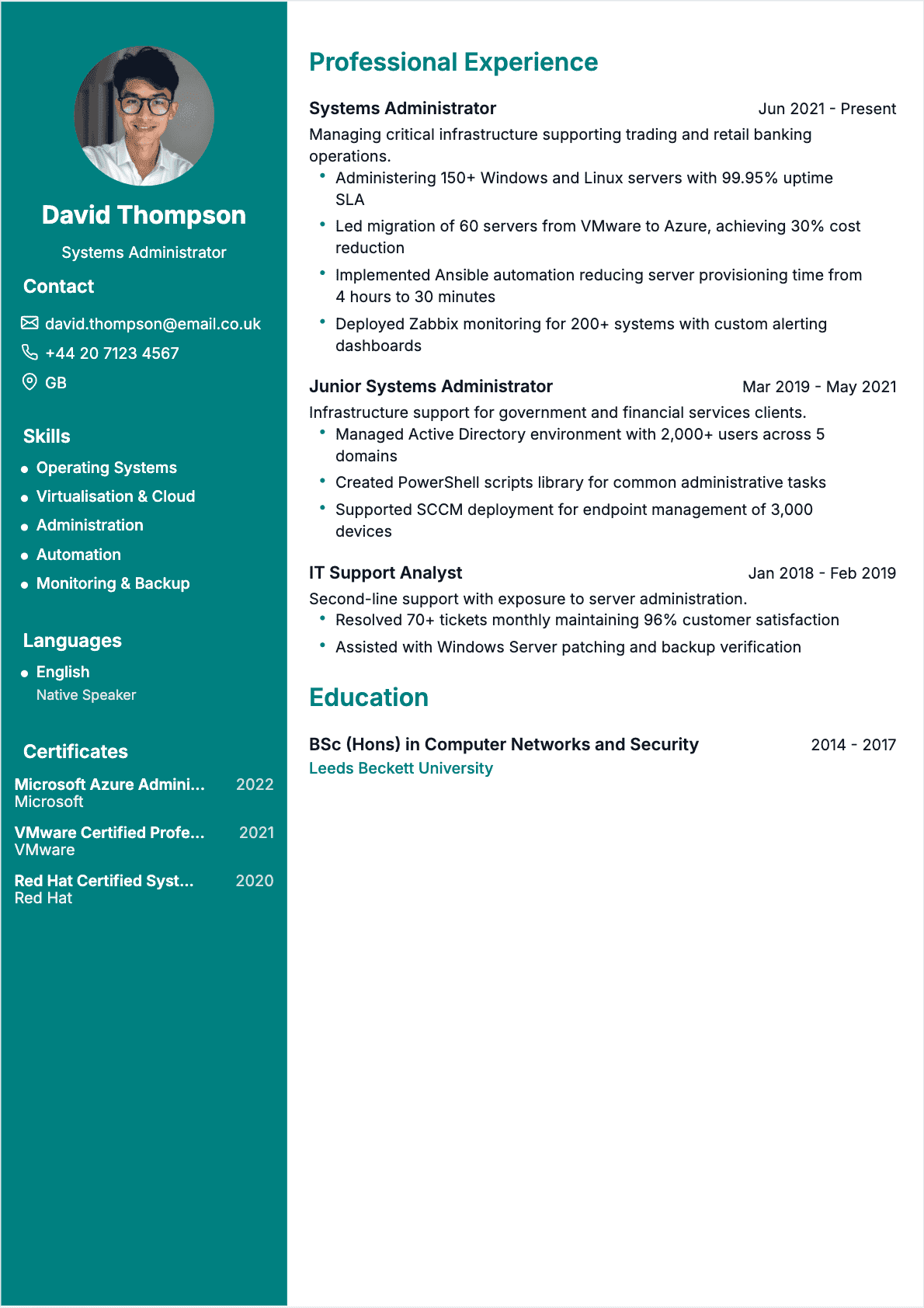
Systems Administrator Resume Templates
8 Templates available
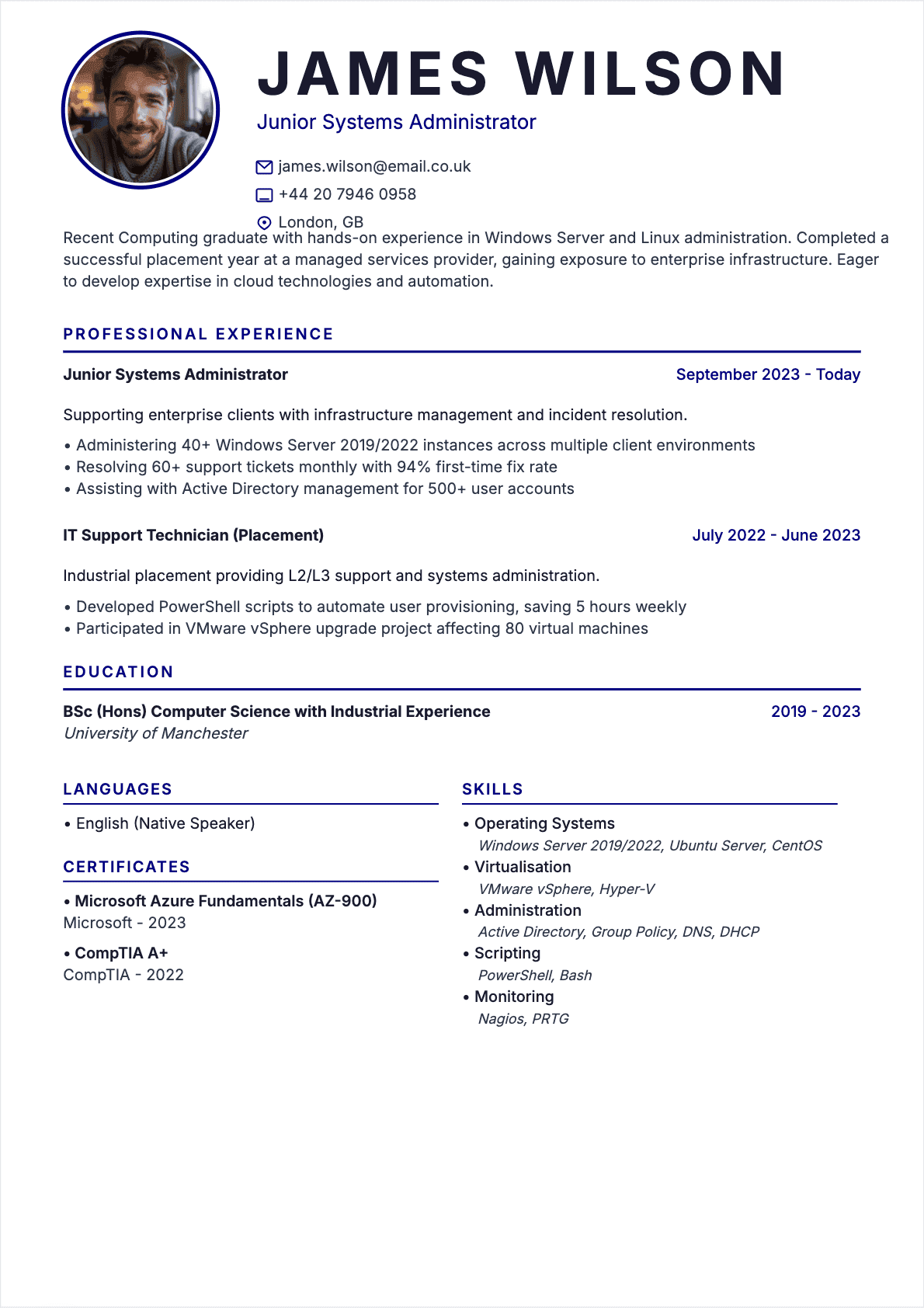
Resume Systems Administrator Junior
Systems Administrator resume template for Junior profile
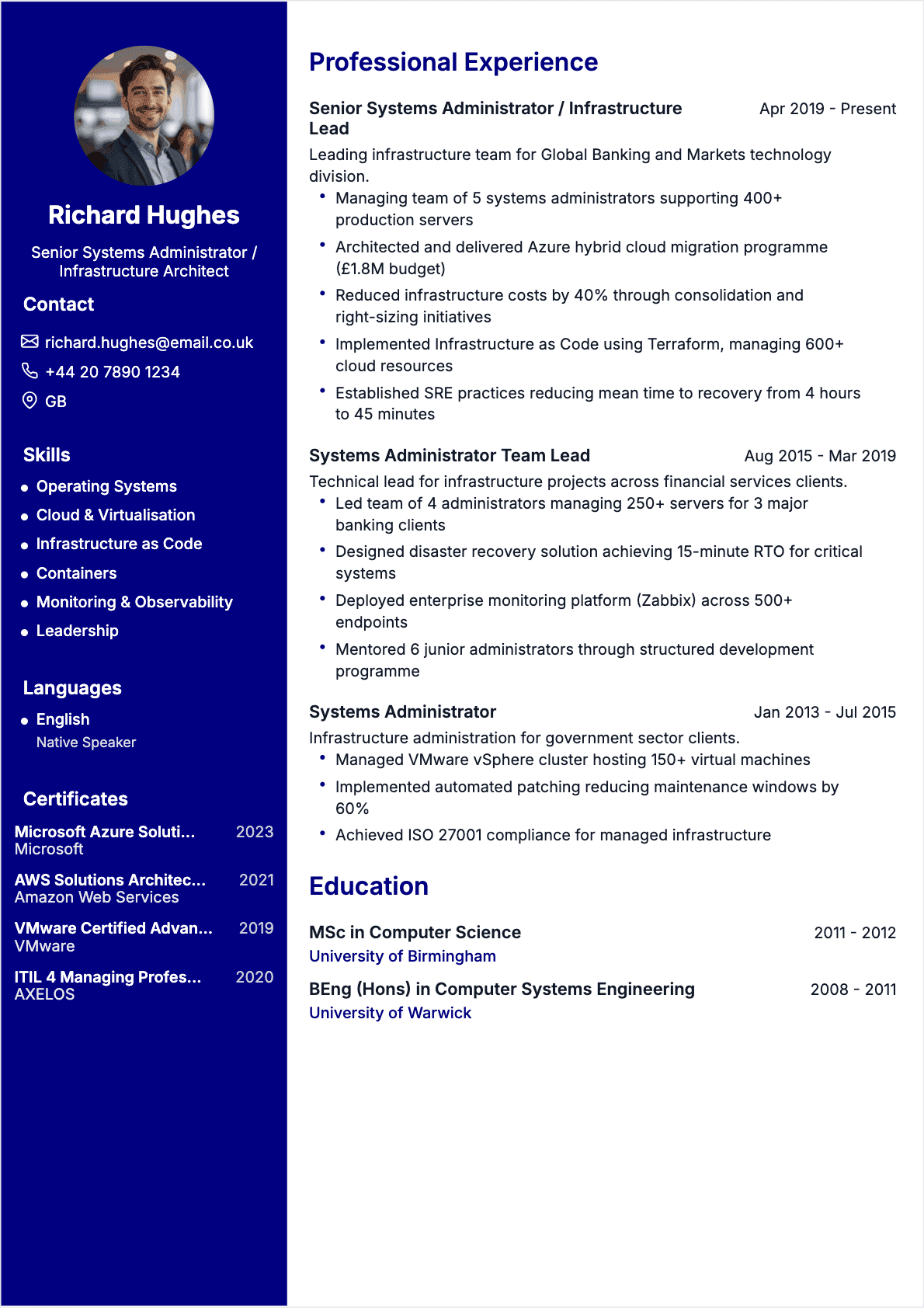
Resume Systems Administrator Senior
Systems Administrator resume template for Senior profile
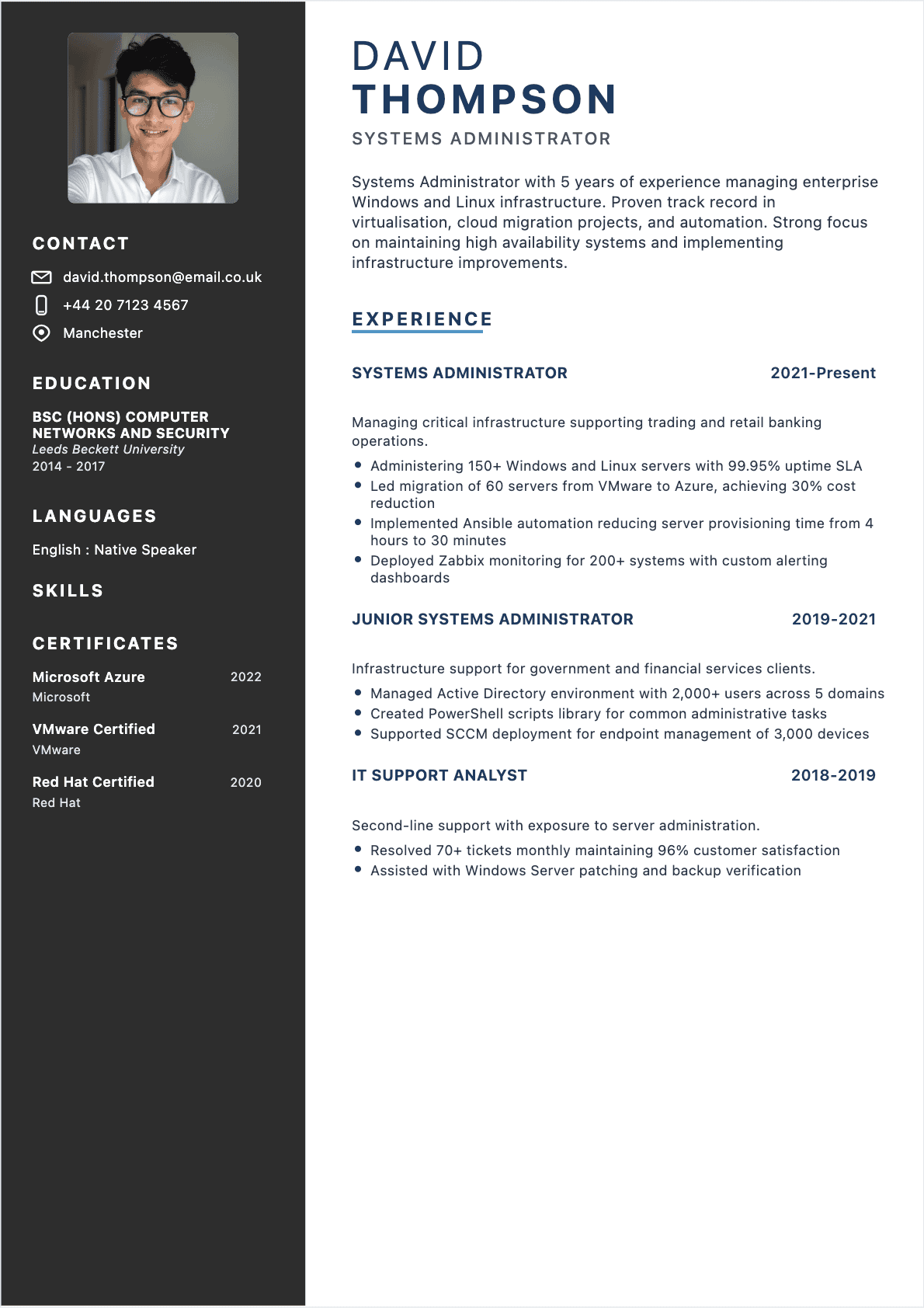
Resume Systems Administrator Confirmé
PopularSystems Administrator resume template for Confirmé profile
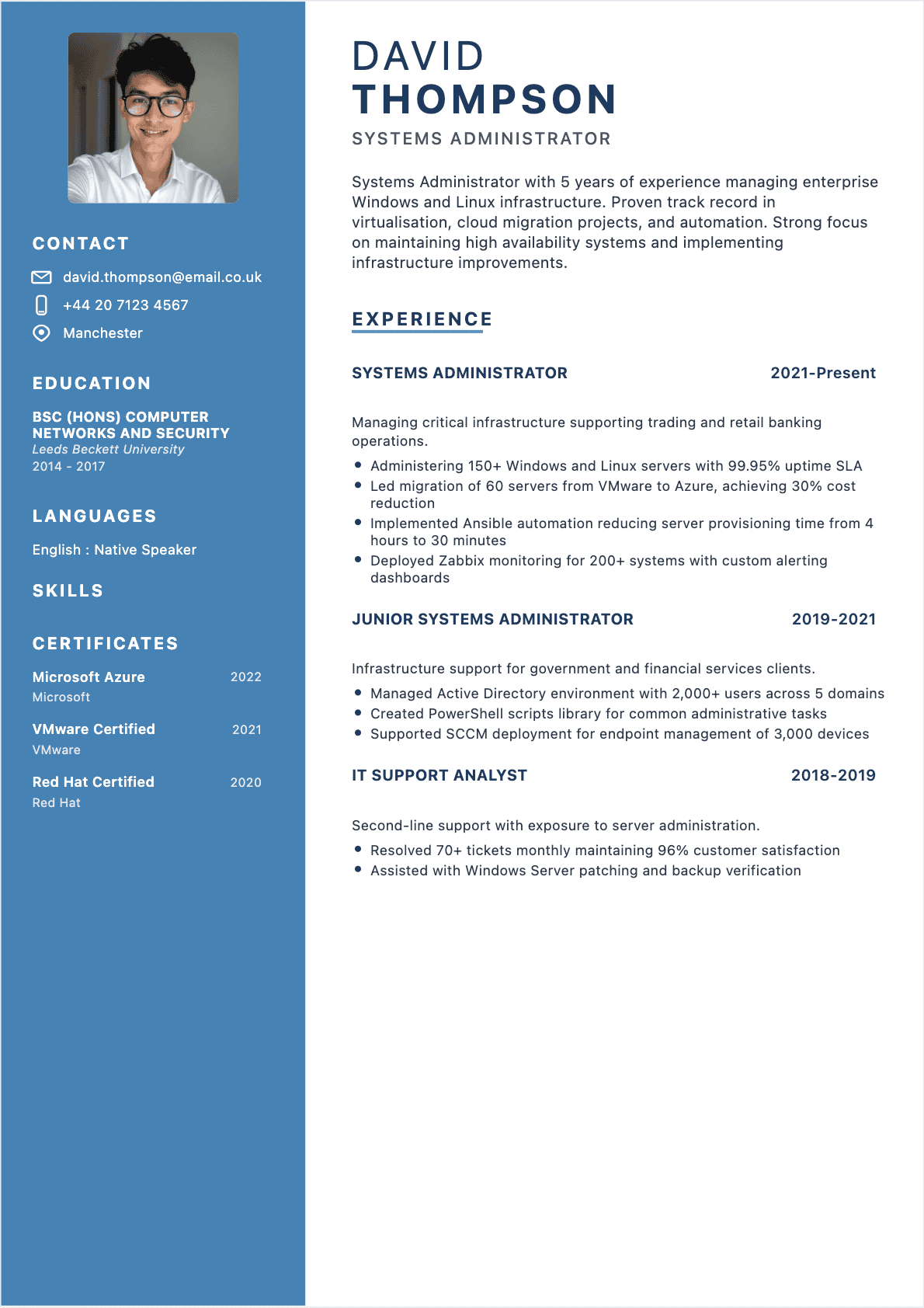
Resume Systems Administrator Confirmé
Systems Administrator resume template for Confirmé profile
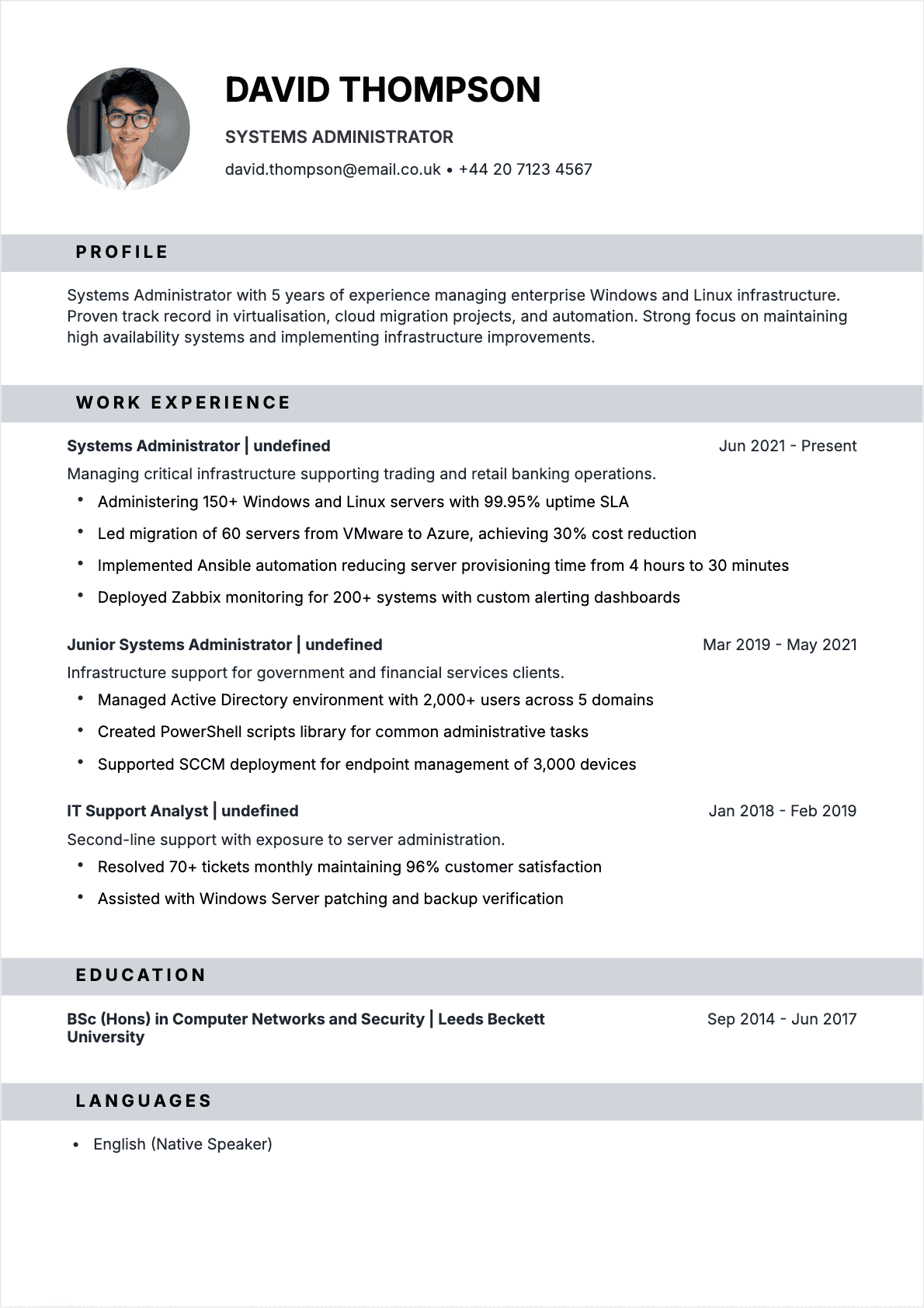
Resume Systems Administrator Confirmé
Systems Administrator resume template for Confirmé profile
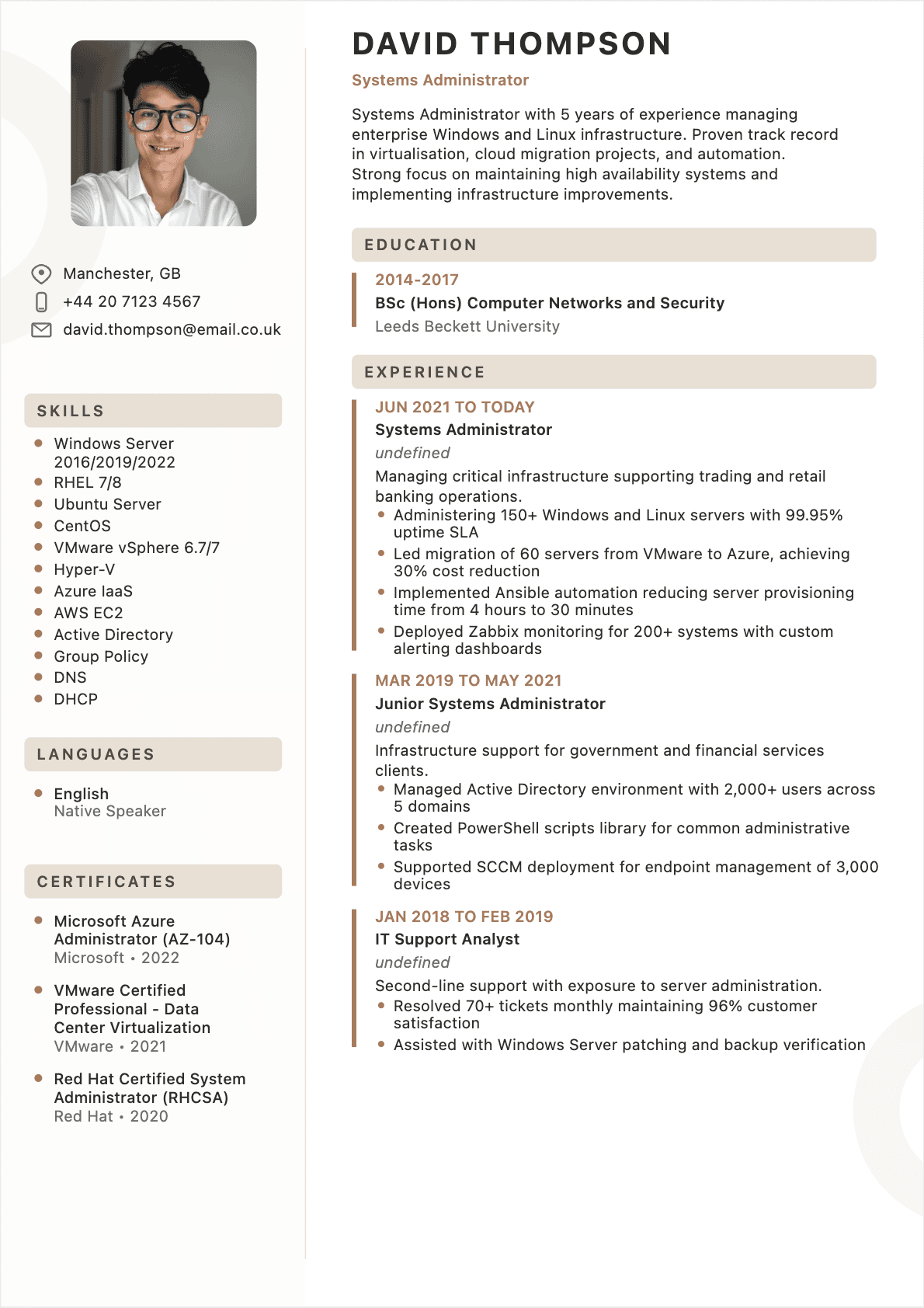
Resume Systems Administrator Confirmé
Systems Administrator resume template for Confirmé profile
Like one of these Systems Administrator resume templates?
Select it, fill in your details and download your resume as PDF.
Systems Administrator Resume Examples
David Thompson
Systems Administrator
david.thompson@email.co.uk
+44 20 7123 4567
Manchester, GB
Systems Administrator with 5 years of experience managing enterprise Windows and Linux infrastructure. Proven track record in virtualisation, cloud migration projects, and automation. Strong focus on maintaining high availability systems and implementing infrastructure improvements.
Work Experience
Systems Administrator
- ●Administering 150+ Windows and Linux servers with 99.95% uptime SLA
- ●Led migration of 60 servers from VMware to Azure, achieving 30% cost reduction
- ●Implemented Ansible automation reducing server provisioning time from 4 hours to 30 minutes
Junior Systems Administrator
- ●Managed Active Directory environment with 2,000+ users across 5 domains
- ●Created PowerShell scripts library for common administrative tasks
- ●Supported SCCM deployment for endpoint management of 3,000 devices
IT Support Analyst
- ●Resolved 70+ tickets monthly maintaining 96% customer satisfaction
- ●Assisted with Windows Server patching and backup verification
Education
BSc (Hons)
Leeds Beckett University
Skills
Languages
English — Native Speaker
Certifications
Microsoft Azure Administrator (AZ-104)Microsoft
VMware Certified Professional - Data Center VirtualizationVMware
Red Hat Certified System Administrator (RHCSA)Red Hat
Systems Administrator role overview
Systems Administrators serve as the backbone of an organization's IT infrastructure, maintaining the servers, networks, and systems that keep businesses running 24/7. You'll spend your days monitoring system performance, applying security patches, troubleshooting issues before they escalate, and ensuring that employees have reliable access to the tools they need. This role combines reactive problem-solving with proactive planning—one moment you're responding to a critical server alert, the next you're documenting procedures or planning a major system upgrade.
The position requires a balance of technical depth and operational awareness. You'll work closely with help desk teams, network engineers, and security specialists, often serving as the first escalation point when standard troubleshooting fails. Depending on your organization's size, you might specialize in specific systems (Windows Server, Linux, virtualization platforms) or manage the entire technology stack. Many Systems Administrators also participate in on-call rotations, responding to after-hours emergencies that could impact business operations.
Career progression typically follows several paths. Junior administrators start with monitoring, basic troubleshooting, and routine maintenance tasks under supervision. Mid-level professionals take ownership of specific systems, lead small projects, and mentor junior staff. Senior administrators architect solutions, make strategic infrastructure decisions, and often specialize in areas like cloud platforms, automation, or security. From there, you might move into DevOps engineering, cloud architecture, IT management, or specialized roles like Site Reliability Engineer (SRE).
Salary ranges in the UK reflect experience and specialization. Junior Systems Administrators typically earn £25,000-£35,000, while mid-level professionals with 3-5 years of experience command £35,000-£50,000. Senior administrators with deep expertise and leadership responsibilities earn £50,000-£70,000, with specialists in high-demand areas like cloud or security reaching £75,000+. London and other major tech hubs typically add 15-25% to these figures.
Typical daily tasks include:
- Monitoring system performance metrics and responding to alerts about server health, disk space, or service failures
- Applying security patches and updates to operating systems, applications, and firmware across the infrastructure
- Managing user accounts, permissions, and access rights through Active Directory or similar identity management systems
- Performing backup verification and testing disaster recovery procedures to ensure business continuity
- Troubleshooting complex technical issues escalated from help desk teams, often requiring log analysis and system diagnostics
- Documenting system configurations, procedures, and incidents to maintain knowledge bases and ensure consistency
Essential skills for a Systems Administrator resume
Your CV needs to demonstrate both the technical competencies that keep systems running and the soft skills that make you effective in a fast-paced operational environment. Recruiters scan for specific technologies and certifications, but they also want evidence that you can communicate clearly during outages, prioritize competing demands, and work independently when troubleshooting complex issues.
For ATS optimization, focus on including exact technology names and versions in your skills section and throughout your experience descriptions. Many organizations use applicant tracking systems that search for specific keywords like 'VMware vSphere 7', 'PowerShell scripting', or 'AWS EC2' rather than generic terms like 'virtualization' or 'cloud platforms'. Match your skills to the job description while remaining truthful about your actual experience level.
Core technical and professional skills:
- Windows Server administration (2016/2019/2022) - Most enterprises run Windows environments, making Active Directory, Group Policy, and Windows Server management fundamental to the role
- Linux/Unix system administration (RHEL, Ubuntu, CentOS) - Critical for managing web servers, databases, and containerized applications that increasingly run on Linux platforms
- Virtualization platforms (VMware vSphere, Hyper-V, Proxmox) - Modern infrastructure runs on virtual machines, requiring skills in provisioning, resource management, and troubleshooting virtualized environments
- Cloud platforms (AWS, Azure, Google Cloud) - Organizations are migrating workloads to cloud services, making experience with EC2, S3, Azure VMs, and cloud networking essential
- Scripting and automation (PowerShell, Bash, Python) - Automation reduces manual work and errors, with PowerShell particularly valuable for Windows environments and Python for cross-platform tasks
- Backup and disaster recovery (Veeam, Commvault, Azure Backup) - Protecting data and ensuring business continuity requires expertise in backup strategies, testing, and recovery procedures
- Monitoring tools (Nagios, Zabbix, PRTG, Datadog) - Proactive monitoring prevents outages by alerting you to issues before they impact users
- Security fundamentals (firewalls, patch management, hardening) - Understanding security principles helps you implement proper access controls and respond to vulnerabilities
- Networking basics (TCP/IP, DNS, DHCP, VLANs) - Troubleshooting often requires understanding how data flows through networks and identifying connectivity issues
- Problem-solving under pressure - When critical systems fail, you need to diagnose issues methodically while managing stress and communicating with stakeholders
- Documentation skills - Clear documentation ensures knowledge transfer, helps during audits, and enables others to follow procedures consistently
- Communication with non-technical users - You'll regularly explain technical issues to managers and end-users who need to understand impact without technical jargon

How to write a Systems Administrator resume step by step
1. Start with a technical summary that quantifies your infrastructure experience
Your opening summary should immediately establish your technical environment and scale. Instead of 'Experienced Systems Administrator with strong technical skills', write 'Systems Administrator managing 200+ Windows/Linux servers across on-premises and AWS environments, maintaining 99.8% uptime for 500-user organization'. Include your years of experience, primary technologies, and one standout achievement.
2. Structure your experience section around systems you've managed and improvements you've made
Organize each role by highlighting the infrastructure you were responsible for, then detail specific projects and achievements. Start bullets with the action and immediately follow with the technical context. For example: 'Migrated 45 physical servers to VMware vSphere 7 environment, reducing hardware costs by £30,000 annually and improving resource utilization by 60%'.
3. Quantify uptime, performance improvements, and cost savings wherever possible
Numbers transform vague claims into concrete evidence. Instead of 'Improved system reliability', write 'Reduced unplanned downtime from 12 hours to 2 hours annually by implementing proactive monitoring with Zabbix and automated alerting'. Track metrics like uptime percentages, incident response times, users supported, servers managed, or budget impacts.
4. Highlight security and compliance achievements with specific examples
Security matters to every employer. Rather than listing 'Responsible for security', demonstrate impact: 'Achieved 100% patch compliance across 180 Windows servers by implementing automated WSUS deployment, reducing vulnerability window from 30 days to 72 hours'. Include any audit results, compliance frameworks (ISO 27001, SOC 2), or security incidents you've prevented or resolved.
5. Create a detailed technical skills section organized by category
Group your skills logically: Operating Systems, Virtualization, Cloud Platforms, Scripting, Monitoring, Backup, Security. Include specific versions and proficiency levels where relevant. This helps ATS systems find keywords and lets recruiters quickly assess your technical fit. For example: 'Cloud Platforms: AWS (EC2, S3, RDS, CloudWatch), Azure (VMs, Storage, AD), 3 years production experience'.
6. Include certifications prominently with dates and any specializations
Certifications validate your expertise and often serve as ATS keywords. List them in a dedicated section with full names: 'Microsoft Certified: Windows Server Hybrid Administrator Associate (2024)', 'AWS Certified SysOps Administrator - Associate (2023)', 'Red Hat Certified System Administrator (RHCSA, 2022)'. Place this section near the top if certifications are recent and relevant.
7. Demonstrate automation and scripting with concrete examples
Automation skills separate good administrators from great ones. Instead of 'Proficient in PowerShell', show application: 'Developed PowerShell scripts to automate user provisioning process, reducing account creation time from 45 minutes to 5 minutes and eliminating configuration errors'. Include the business impact, not just the technical achievement.
8. Show collaboration and communication through cross-functional projects
Systems administration isn't solitary work. Highlight projects involving other teams: 'Partnered with development team to containerize legacy application using Docker, reducing deployment time from 4 hours to 15 minutes and enabling automated testing'. This demonstrates you can work beyond your immediate technical domain.
Before/after examples:
Weak: 'Managed servers and performed updates'
Strong: 'Administered 120 Windows Server 2019 instances supporting ERP system for 300 users, maintaining 99.7% uptime through scheduled patching and proactive monitoring'
Weak: 'Responsible for backups'
Strong: 'Implemented Veeam backup solution protecting 15TB of critical data with 15-minute RPO, successfully recovering from ransomware incident with zero data loss in March 2024'
Weak: 'Worked with cloud technologies'
Strong: 'Migrated 30 on-premises servers to AWS EC2, implementing auto-scaling and CloudWatch monitoring that reduced infrastructure costs by 35% while improving application response time by 40%'
Common mistakes on Systems Administrator resumes
Listing technologies without context or proficiency level. Many CVs simply list 'Windows Server, Linux, VMware, AWS' without indicating depth of experience. Recruiters can't tell if you've administered 200 servers in production or completed a single tutorial. Instead, provide context: 'Windows Server 2016/2019: 5 years managing 150+ production servers including Active Directory, DNS, DHCP, and Group Policy for multi-site organization'. This shows both breadth and depth.
Focusing on routine tasks instead of improvements and projects. Your CV shouldn't read like a job description. Avoid bullets like 'Performed daily system monitoring' or 'Created user accounts'. These are expected baseline activities. Instead, highlight what you improved: 'Reduced user provisioning time by 80% by automating Active Directory account creation with PowerShell, processing 200+ new hires annually with zero configuration errors'. Show how you made things better, not just that you did your job.
Failing to quantify uptime and reliability metrics. Systems administration is fundamentally about keeping things running, yet many CVs never mention uptime percentages, incident counts, or mean time to recovery. These numbers matter enormously to hiring managers. If you maintained 99.9% uptime, say so. If you reduced critical incidents from 15 to 3 per quarter, that's a compelling achievement. Track these metrics in your current role if you're not already.
Ignoring security and compliance entirely. With cyber threats dominating IT concerns, omitting security experience is a critical mistake. Even if security isn't your primary focus, you've likely implemented patches, configured firewalls, managed access controls, or responded to vulnerabilities. Highlight these activities: 'Maintained zero critical vulnerabilities across infrastructure by implementing weekly patch cycles and automated compliance scanning with Nessus'. Security awareness is now a core competency, not an optional extra.
Using outdated technologies without acknowledging current learning. If your experience is primarily with older systems (Windows Server 2012, VMware 5.5, traditional data centers), acknowledge this but demonstrate you're keeping current. Include recent certifications, home lab projects, or professional development: 'Currently completing AWS Solutions Architect certification and migrating home lab to containerized architecture using Docker and Kubernetes'. This shows you're not stuck in the past.
Writing generic bullets that could apply to any IT role. Phrases like 'Provided technical support' or 'Worked with various teams' could describe help desk, network engineering, or dozens of other positions. Be specific to systems administration: 'Diagnosed and resolved kernel panic issues on production RHEL 8 database servers, implementing memory optimization that prevented recurrence and improved query performance by 25%'. The technical specificity proves your expertise.
Omitting automation and scripting experience. Modern systems administration increasingly involves infrastructure as code and automation. If your CV shows only manual administration, you appear behind the curve. Even basic scripting matters: 'Created Bash scripts to automate log rotation and cleanup across 50 Linux servers, preventing disk space issues and reducing manual intervention from weekly to monthly'. If you truly lack scripting experience, this is a skill gap you need to address urgently.
Systems Administrator resume trends in 2026
The systems administration role continues evolving toward cloud-native infrastructure and automation-first approaches. Organizations are actively seeking administrators who can manage hybrid environments spanning on-premises data centers, public cloud platforms, and edge computing locations. Your CV needs to demonstrate comfort with this complexity—employers expect you to manage traditional Windows Server environments while also provisioning AWS infrastructure, containerizing applications, and implementing infrastructure as code. The purely on-premises administrator role is disappearing outside of specialized industries with regulatory constraints.
Infrastructure as Code (IaC) has moved from nice-to-have to essential. Terraform, Ansible, and CloudFormation are appearing in job requirements with increasing frequency. Employers want administrators who can define infrastructure in code repositories, version control configurations, and deploy consistent environments programmatically. If your experience is primarily GUI-based administration, you're at a disadvantage. Highlight any experience with configuration management tools, even if it's personal projects: 'Implemented Ansible playbooks to standardize server configurations across development and production environments, reducing deployment inconsistencies by 90%'. Demonstrating IaC competency signals you understand modern operational practices.
Security certifications and demonstrated security practices are becoming mandatory. Following high-profile ransomware attacks and data breaches, organizations scrutinize security experience more carefully. CompTIA Security+, Microsoft Security certifications, or AWS Security Specialty credentials strengthen your CV significantly. Beyond certifications, show concrete security implementations: 'Hardened Linux servers according to CIS benchmarks, achieving 95% compliance score in external audit and reducing attack surface by disabling 30+ unnecessary services'. Employers want evidence you think about security proactively, not just react to incidents.
Monitoring and observability skills are differentiating candidates. Basic uptime monitoring is table stakes; employers now want administrators who implement comprehensive observability using tools like Prometheus, Grafana, ELK stack, or cloud-native solutions like CloudWatch and Azure Monitor. The ability to create meaningful dashboards, set intelligent alerts, and use metrics to predict issues before they occur is highly valued. Highlight experience moving beyond simple ping checks: 'Implemented Prometheus and Grafana monitoring stack providing real-time visibility into 80+ microservices, reducing mean time to detection from 15 minutes to 90 seconds'.
Remote work has permanently changed on-call expectations and documentation requirements. With distributed teams, you need to demonstrate strong documentation practices and asynchronous communication skills. Employers value administrators who create runbooks, maintain updated knowledge bases, and can troubleshoot complex issues without physical access to hardware. Your CV should highlight remote management capabilities: 'Managed global infrastructure across 5 time zones entirely remotely, maintaining 99.8% uptime through comprehensive monitoring, detailed runbooks, and effective use of remote management tools (iDRAC, iLO, AWS Systems Manager)'.
Containerization and Kubernetes are rapidly becoming core skills. While not every organization has adopted containers, the trend is clear. Docker appears in 60%+ of systems administrator job postings, with Kubernetes following closely. Even if you're not managing production Kubernetes clusters, familiarity with container concepts and basic orchestration strengthens your profile. Include relevant experience: 'Containerized 12 legacy applications using Docker, reducing deployment complexity and enabling development team to test locally with production-identical environments'.
Employers are prioritizing automation mindset over manual expertise. The administrator who can script away repetitive tasks is more valuable than one who performs them efficiently by hand. Your CV should demonstrate you actively seek automation opportunities. Quantify time saved through automation: 'Automated monthly patching process using PowerShell and WSUS, reducing maintenance window from 8 hours to 2 hours and eliminating manual errors that previously caused 3-4 failed updates per cycle'. This shows you think strategically about operational efficiency, not just task completion.
Further reading:
Frequently asked questions
Find answers to the most frequently asked questions.
Aim for one page if you have under 5 years of experience, and two pages if you manage complex environments or multiple domains (Windows, Linux, cloud, security). Prioritize quantified outcomes, scope, and tooling. Remove older roles that don’t add proof of relevance to the target stack.
Use keywords that match the job description and your real experience: Windows Server, Linux, Active Directory, GPO, Azure/AWS, VMware vSphere, PowerShell, monitoring (Zabbix/Nagios), backup/DR (Veeam), patch management (WSUS/Intune), and incident management. Place them naturally in Skills and Experience bullets.
Maintenance becomes impact when you quantify reliability and risk reduction. Track uptime, MTTR, patch compliance, backup success rate, restore time, and ticket reduction. For example: “Increased patch compliance to 96% across 240 servers” or “Reduced restore time by 35% after optimizing backup jobs and running quarterly tests.”
In English-speaking markets, norms vary by country. In the US, skip a photo. In the UK, it’s generally optional but uncommon for technical roles. If you’re applying internationally, prioritize a clean layout, strong keywords, and measurable achievements over a photo to avoid bias concerns.
Pair each certification with a practical application. Example: after AWS SysOps, add a bullet like “Implemented CloudWatch alarms and IAM least-privilege reviews for 20 accounts.” Certifications become credible when tied to real systems, incidents, migrations, or improvements you delivered.
Use equivalents and be explicit about scale. Hyper-V can replace VMware; BorgBackup, Restic, or cloud snapshots can support backup experience; Prometheus/Grafana can show monitoring skills. Add homelab projects or freelance work with metrics (uptime, restore tests, automation time saved) to prove operational competence.
Your career deserves a better resume
With CVtoWork, select a template, fill in the fields and download your resume as PDF.
Start creating