

You’ve nailed your bullet points, quantified every achievement, and tailored your resume to the exact job description. Then a recruiter glances at it for six seconds and moves on. What went wrong? In many cases, the answer is something you probably never considered: your font choice.
Typography is the silent first impression of your resume. Before a hiring manager reads a single word, their brain has already processed how the document feels—professional or sloppy, modern or dated, confident or uncertain. The right font communicates competence before the content even registers. The wrong font creates friction that no amount of strong experience can fully overcome.
I learned this the hard way during my years as a tech recruiter at a Fortune 500 company. When you’re screening 200 resumes before lunch, the ones set in Comic Sans or decorative script fonts get an involuntary eye-roll before the first bullet point. It’s not fair, but it’s reality. And with ATS software now handling the first pass at most large companies, your font choice can literally determine whether your resume gets parsed correctly or thrown into a digital black hole. 📊
This guide covers everything you need to know about choosing the best fonts for your resume in 2026—from timeless classics to modern alternatives, from exact sizing recommendations to industry-specific guidance. Whether you’re building your first resume or overhauling one that isn’t landing interviews, you’ll walk away with a clear font strategy. For the full picture on resume writing, start with our complete guide to writing a resume.
Why Your Resume Font Choice Matters More Than You Think
Recruiters spend an average of 6–7 seconds on their initial resume scan. That’s not enough time to read your professional summary, let alone evaluate your entire career. What they’re actually doing in those six seconds is pattern-matching: scanning for visual cues that signal whether this resume is worth a deeper look.
Font is one of the strongest visual cues on the page. A clean, well-chosen typeface signals attention to detail, professionalism, and design awareness—qualities that every employer values regardless of industry. A poor font choice signals the opposite: carelessness, outdated sensibilities, or worse, a lack of judgment. 🔍
There’s also a practical dimension most candidates overlook: readability under pressure. Recruiters at agencies like Robert Half or Hays often review resumes on small laptop screens, sometimes on phones while commuting. Your carefully crafted achievements are worthless if the font renders poorly at small sizes or creates eye strain on a backlit screen.
Then there’s the ATS factor. Applicant Tracking Systems used by companies like Google, JPMorgan, and Deloitte need to parse your resume’s text accurately. Unusual or decorative fonts can cause parsing errors—turning your "10 years of project management" into garbled characters that the software can’t index. The result? Your resume never reaches human eyes.
Think of your font choice as the dress code of your resume. You wouldn’t show up to an interview at Goldman Sachs in a Hawaiian shirt, and you shouldn’t send your resume in a font that says "casual Friday" when the context demands "boardroom ready." The goal is a typeface that disappears—one that lets your content speak without the font itself becoming a distraction. For a broader look at what makes a resume work, see our step-by-step resume writing guide.
5 Timeless Fonts That Always Work on a Resume
If you want a safe, universally respected font that works across every industry and every ATS, these five are your best options. They’ve stood the test of time because they balance readability, professionalism, and availability perfectly.
1. Calibri
Microsoft’s default font since 2007, Calibri is the most widely used resume font in the world. It’s clean, modern, and reads beautifully on screens. Pros: Available on every Windows and Mac system, excellent ATS compatibility, looks professional without being boring. Cons: Because it’s so common, your resume won’t stand out visually. Some design-conscious recruiters see it as "didn’t bother to change the default." ✅
2. Arial
A sans-serif workhorse that’s been a professional standard for decades. Arial is clean, neutral, and universally available. Pros: Extremely readable at any size, works on every platform and ATS, projects a no-nonsense professional image. Cons: Can feel somewhat generic and lacks the character of more modern alternatives. Slightly wider letter spacing means you’ll fit less content per line than with Calibri.
3. Helvetica
The darling of the design world and arguably the most famous typeface ever created. Helvetica communicates sophistication and precision. Pros: Universally admired by design professionals, excellent readability, conveys a polished, premium feel. Cons: Not natively available on Windows (though Arial is a near-identical substitute). Some ATS may substitute it for another font if it’s not embedded in your PDF.
4. Garamond
A classic serif font that brings elegance and readability to any document. Garamond’s slightly smaller character width lets you fit more content on a page without shrinking the font size. Pros: Timeless and sophisticated, excellent for print, fits more text per page than most fonts. Cons: Can look slightly thin on low-resolution screens, and its traditional feel may not suit tech startups or creative agencies. 📝
5. Cambria
Designed by Microsoft specifically for on-screen readability, Cambria is a serif font that looks sharp on monitors and prints beautifully. Pros: Optimized for digital reading, excellent ATS compatibility, projects authority and credibility. Cons: Less common in creative industries, and its formal tone may feel too conservative for startups.
Any of these five fonts is a safe, professional choice. If you’re uncertain, start with Calibri for modern roles or Garamond for traditional industries like finance, law, and consulting.

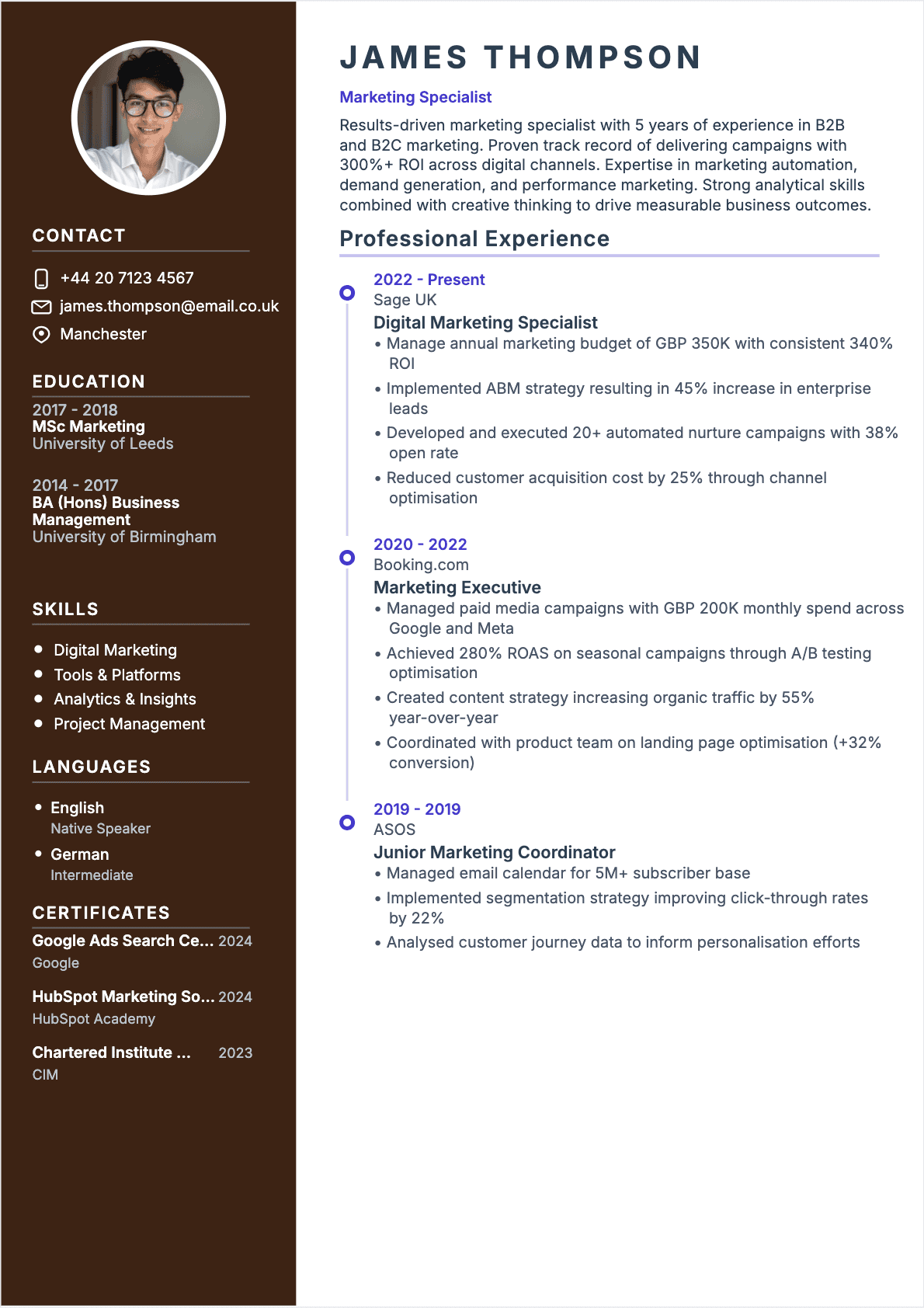
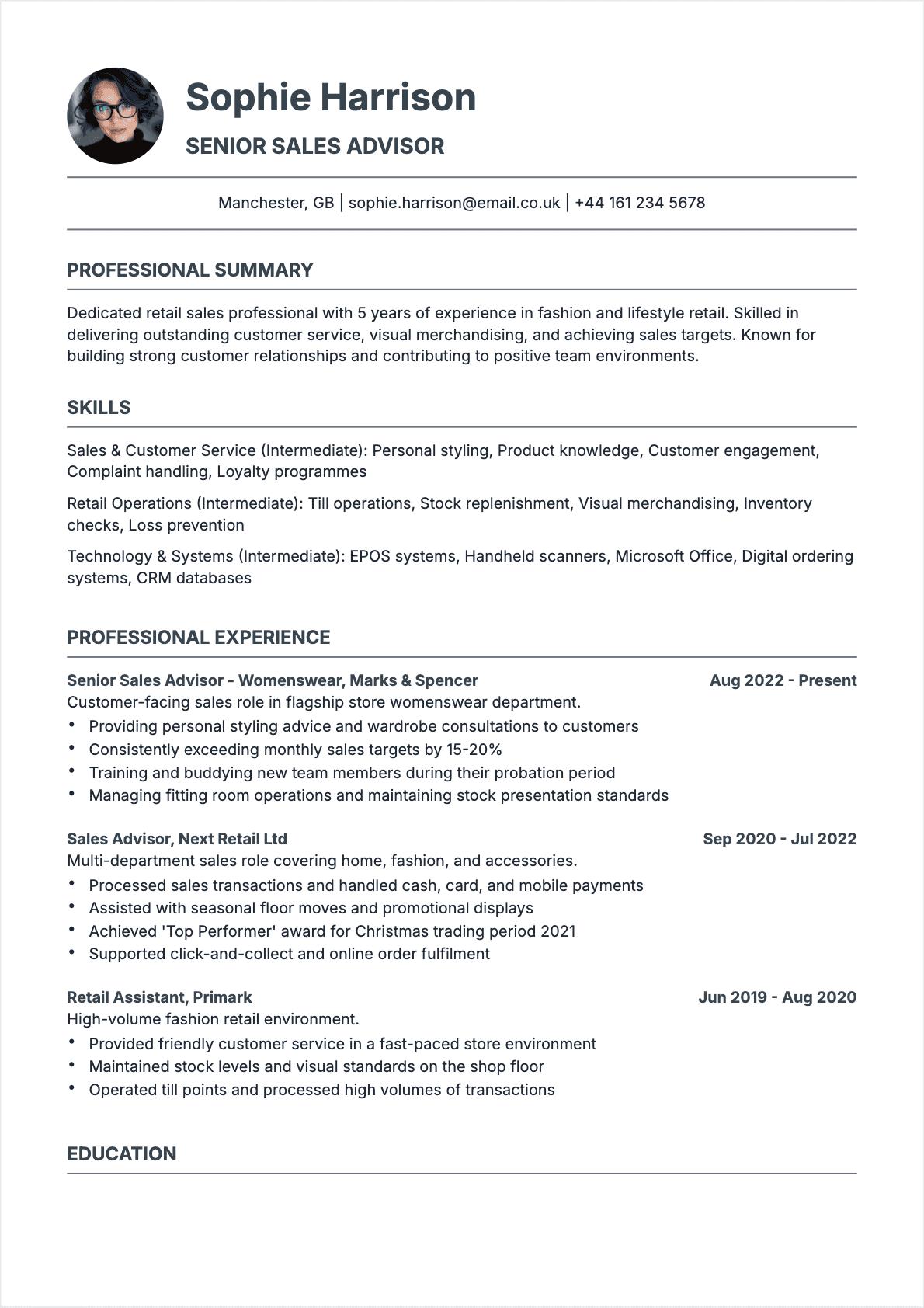
Comparison between Serif and Sans-Serif fonts for a professional resume
Modern Fonts That Stand Out in 2026
The five classics above are bulletproof, but they’re also predictable. If you want your resume to look polished and contemporary without sacrificing readability, consider these modern alternatives that have gained serious traction in professional settings:
Inter
Originally designed for user interfaces, Inter is the font that powers half the tech products you use daily. It’s crisp, highly legible at small sizes, and feels unmistakably modern. Ideal for tech, product, and UX roles where design literacy matters.
Montserrat
A geometric sans-serif with a confident, slightly bold personality. Montserrat works beautifully for headings and pairs well with more neutral body fonts. It signals creativity without sacrificing professionalism—a sweet spot for marketing, branding, and media roles. ✨
Lato
Warm, approachable, and exceptionally readable. Lato is the font equivalent of a firm handshake—professional but personable. It’s a Google Font, meaning it’s freely available and renders consistently across platforms.
Rubik
With slightly rounded corners, Rubik feels contemporary and friendly without crossing into casual territory. Excellent for startups, nonprofit organizations, and roles in education or community services.
Raleway
An elegant sans-serif with distinctive letter forms that make it memorable without being distracting. Raleway shines in headings and works well on resumes for creative and strategic roles.
When to use modern fonts: Choose these when you’re applying to companies that value design, innovation, or brand identity. Startups, tech companies, design agencies, and digital-first businesses will appreciate the modern touch. For traditional industries—banking, law, government—stick with the classics.
A word of caution: modern fonts from Google Fonts or other repositories must be embedded in your PDF to display correctly on every machine. If you export your resume as a DOCX, the recruiter’s computer may substitute a default font and destroy your careful formatting. Always export as PDF. To build your resume quickly with modern fonts, try our AI resume builder which handles font embedding automatically.
Font Sizes: The Exact Numbers Recruiters Prefer
Choosing the right font is only half the equation. The size of your font determines whether your resume is easy to scan or a wall of text that no one wants to read. Here are the exact specifications I recommend based on years of recruiter feedback and ATS testing:
Your name: 18–22pt
Your name should be the most prominent text on the page. It anchors the document and makes it instantly identifiable when a recruiter flips back through a stack of printouts. I recommend 20pt as the sweet spot—large enough to stand out, small enough not to look like a movie poster. 🎬
Section headings: 14–16pt
Headings like "Experience," "Education," and "Skills" should be clearly visible when scanning the page. Use 14pt bold as your starting point. If your resume has generous white space, you can go up to 16pt. Make sure all section headings are the same size—inconsistency looks sloppy.
Body text: 10–12pt
This is where your achievements live, so readability is paramount. 11pt is the gold standard for most sans-serif fonts. If you’re using a serif font like Garamond that has smaller character widths, you can sometimes go to 11.5pt for better readability. Never go below 10pt—if your content doesn’t fit, edit the content, don’t shrink the font.
Contact information: 10–11pt
Your email, phone number, LinkedIn URL, and location can be slightly smaller than your body text. This creates visual hierarchy without making critical information hard to find.
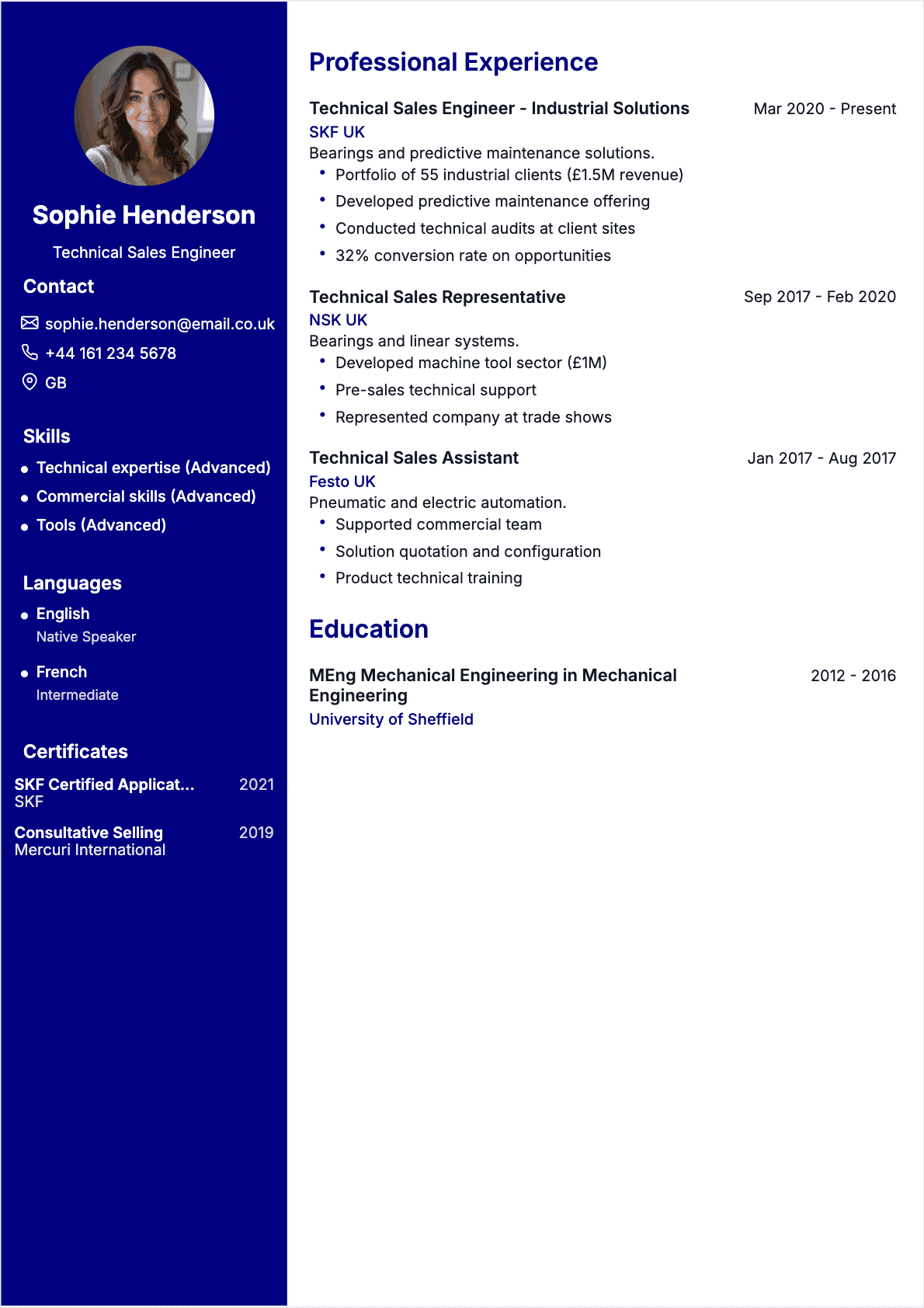
The overarching rule is visual hierarchy: your name should be clearly the largest element, followed by section headings, then body text. If a recruiter can’t instantly distinguish between these three levels, your font sizes need adjustment. Struggling to fit everything on one sheet? Read our guide to the one-page resume for proven strategies.

Recommended font size hierarchy for a resume
Is Your Font ATS-Compatible? Here’s How to Check
You could have the most beautifully designed resume in the world, but if the ATS can’t read it, you’re effectively invisible. Font compatibility is one of the most overlooked causes of ATS rejection, and it’s entirely preventable. 🤖
What makes a font ATS-safe?
ATS software reads your resume by extracting text from the document file. For this to work, the font needs to use standard character encoding that the software can interpret. Most system fonts—Calibri, Arial, Times New Roman, Georgia, Verdana, Cambria—are fully ATS-compatible because they use universal encoding and are recognized by every major ATS platform including Workday, Greenhouse, Lever, iCIMS, and Taleo.
Fonts that cause ATS problems
Decorative fonts, handwriting fonts, and highly stylized typefaces can cause parsing errors. When ATS encounters a character it can’t map, it either skips it, replaces it with a placeholder, or garbles the entire section. I’ve personally seen resumes where a candidate’s name was parsed as "J???n D???" because the fancy font’s encoding wasn’t recognized.
How to test your font for ATS compatibility
- The copy-paste test — Open your PDF resume, select all text (Ctrl+A), copy it, and paste it into Notepad or any plain text editor. If every word appears correctly in the right order, your font is ATS-safe.
- The DOCX conversion test — If you created your resume in PDF, try opening it in Google Docs or Microsoft Word. If the text converts cleanly without character errors, you’re in good shape.
- The ATS simulator test — Several free online tools simulate ATS parsing. Upload your resume and check whether every field—name, job titles, dates, skills—was extracted correctly.
- The font embedding check — In Adobe Acrobat, go to File > Properties > Fonts. Every font used in your resume should show "Embedded" or "Embedded Subset." If a font isn’t embedded, the ATS may substitute a different font and alter your layout.
The safe list: Calibri, Arial, Helvetica, Garamond, Cambria, Georgia, Verdana, Trebuchet MS, Tahoma, and Times New Roman are all confirmed ATS-safe across every major platform. When in doubt, pick one from this list and move on to more impactful resume improvements. For a deeper understanding of how ATS interacts with resume formatting, read our guide on the best resume formats for 2026.
Fonts That Will Get Your Resume Rejected
Let’s talk about the fonts that will actively hurt your chances. These aren’t just suboptimal choices—they’re resume killers that signal poor judgment to every recruiter who encounters them.
Comic Sans
The most infamous font in professional circles. Comic Sans was designed for comic book speech bubbles, not business documents. Using it on a resume tells the recruiter you either don’t understand professional norms or don’t care about them. Either way, it’s an instant credibility destroyer. 🚫
Papyrus
Unless you’re applying for a position at an ancient Egyptian museum gift shop, Papyrus has no place on a professional resume. Its textured, pseudo-handcrafted appearance screams "I chose this font because it looked cool" rather than "I understand professional communication."
Script and handwriting fonts
Fonts like Lucida Handwriting, Brush Script, Freestyle Script, and Pacifico might look charming on a wedding invitation, but they’re catastrophic on a resume. They’re difficult to read at small sizes, they fail ATS parsing almost universally, and they undermine any sense of professional authority.
Overly decorative display fonts
Fonts designed for logos, posters, and headlines—Impact, Copperplate, Jokerman, Curlz MT—were never intended for body text. They’re hard to read in long blocks, they distract from your content, and they make your resume look like a flyer for a garage sale.
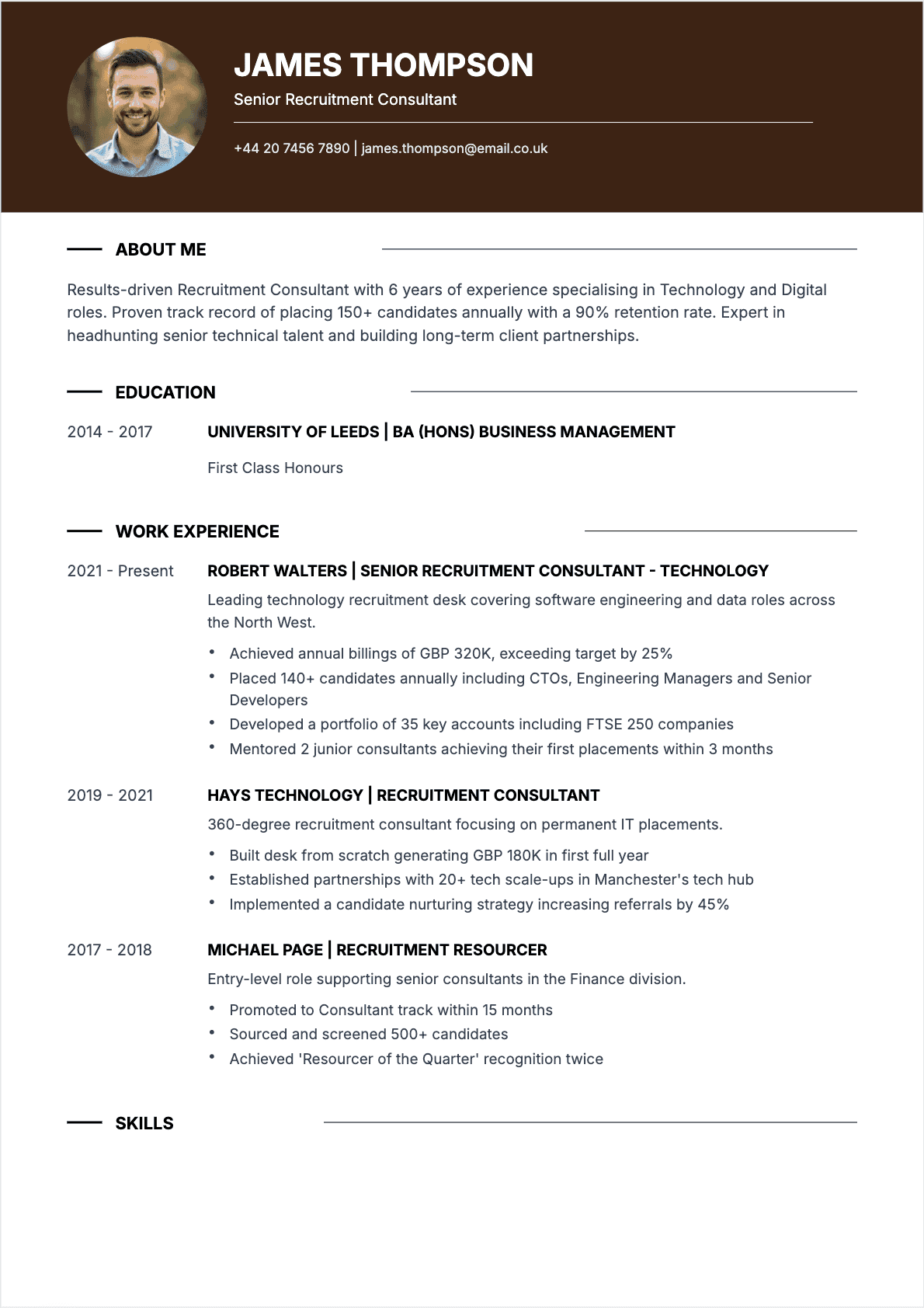
The common thread? These fonts draw attention to themselves rather than to your qualifications. A good resume font is invisible—it delivers your content cleanly and then gets out of the way. For more pitfalls to avoid, check out our list of the top 10 most common resume mistakes.

Resume fonts do's and don'ts guide
One Font or Two? The Art of Font Pairing
Here’s a question I get at nearly every career workshop: should I use one font for my entire resume, or can I mix two? The answer is nuanced, but the rule is simple: never use more than two fonts on a resume.
The single-font approach
Using one font throughout is the safest strategy. You create visual hierarchy through size, weight (bold vs. regular), and spacing rather than through different typefaces. This approach works for every industry and eliminates any risk of clashing fonts. If you’re not confident in your design instincts, one font is the way to go. 🎯
The two-font approach
Pairing two fonts can add visual sophistication when done well. The standard technique is to use one font for headings and another for body text. The key is contrast without conflict:
- Serif headings + sans-serif body — Example: Garamond headings with Calibri body text. The serif headings add elegance while the sans-serif body ensures readability.
- Bold sans-serif headings + lighter sans-serif body — Example: Montserrat Bold headings with Lato Regular body text. Creates a modern, cohesive look.
- Display-weight headings + neutral body — Example: Raleway Semi-Bold headings with Inter Regular body text. Adds personality without sacrificing professionalism.
Pairings to avoid: Never pair two serif fonts together (Garamond + Times New Roman), two very similar sans-serifs (Arial + Helvetica), or a decorative font with anything. The fonts should complement each other, not compete. And remember: consistency matters more than creativity on a resume.
Best Fonts by Industry
Different industries have different visual expectations, and your font choice should reflect the culture of the companies you’re targeting. Here’s a breakdown of the best fonts for the most common sectors:
Finance, Law, and Consulting
These industries value tradition, precision, and authority. Stick with conservative serif fonts like Garamond, Cambria, or Georgia. If you prefer sans-serif, Calibri is acceptable. Avoid anything that could be perceived as casual or trendy. When your resume lands on a partner’s desk at McKinsey or a managing director’s screen at JPMorgan, it should look like it belongs there. 🏦
Technology and Software
Tech companies generally prefer clean, modern aesthetics. Inter, Lato, and Calibri are excellent choices. For engineering roles at companies like Apple or Google, these fonts signal that you understand contemporary design principles. Montserrat works well for product and design roles.
Creative Industries (Design, Marketing, Media)
You have the most freedom here, but freedom doesn’t mean chaos. Montserrat, Raleway, and Rubik show design awareness while maintaining readability. For graphic design roles specifically, your font choice is itself a portfolio piece—it demonstrates your typographic taste. Just make sure it’s still ATS-parseable. 🎨
Healthcare and Science
Clarity and precision are paramount. Arial, Calibri, and Verdana work well because they’re highly legible and project clinical professionalism. Serif options like Cambria also work for academic medical positions.
Government and Nonprofit
Conservative but accessible. Calibri, Arial, and Georgia are safe choices that project trustworthiness. For nonprofit roles, Lato or Rubik can add warmth without sacrificing professionalism.
When in doubt, research the company’s website and marketing materials. The fonts they use in their branding can give you a clue about their visual preferences. For more on structuring your resume to match industry expectations, see our guide on the reverse-chronological CV format.
Should Your Resume and Cover Letter Match Fonts?
Yes, absolutely. Your resume, cover letter, and any other application documents should use the same font or at least the same font family. This creates a cohesive personal brand and shows that you pay attention to details—a quality that matters in every role at every level.
Think of your application materials as a package. A recruiter who receives a resume in Garamond and a cover letter in Comic Sans will notice the inconsistency, even if only subconsciously. It signals a lack of care that can color their perception of your candidacy. 📨
The same principle applies to your LinkedIn profile, portfolio website, and any work samples you share. Consistency across touchpoints reinforces your personal brand and makes you appear more polished and intentional. Top candidates treat every piece of their application as a unified presentation.
If you use two fonts on your resume (one for headings, one for body), use the same pairing on your cover letter. Match your margins, spacing, and color scheme as well. The easiest way to ensure consistency is to create a template with your chosen fonts and use it for all application documents. Before you submit, run through our resume checklist to verify everything is aligned.
How to Test Your Font Choice Before Applying
Before you send your resume into the wild, run it through these four tests. Each one catches a different category of font problem, and together they’ll ensure your resume looks professional on every screen and in every system.
1. The print test
Print your resume on standard letter paper (US) or A4 (UK/EU). Fonts that look crisp on a 27-inch monitor can appear thin and fragile on paper. If you’re using a light-weight font, printing will reveal whether you need to bump up the weight or size. Hold the printout at arm’s length—if you can’t read the body text comfortably, the font is too small or too thin. 🖨️
2. The PDF test
Export your resume as PDF and open it on a different device—ideally a phone or tablet. Fonts that aren’t embedded in the PDF may display as substitutes, completely changing your layout. Check that every character renders correctly and that your formatting is intact.
3. The mobile test
A growing number of recruiters do their initial screening on mobile devices. Open your resume PDF on your phone and assess readability. Can you read the body text without zooming in? Are the headings clearly distinguishable from the body? If not, your font size or choice may need adjustment.
4. The peer review test
Send your resume to three people and ask one question: "Does this look professional?" Don’t explain your font choice or prompt them in any direction. If all three say yes, your font is working. If even one hesitates, reconsider.
These tests take less than 15 minutes combined but can prevent embarrassing formatting disasters. For more resume templates and design inspiration, browse our resume examples gallery.
Key Takeaways
Your resume’s font is a design decision that carries real career consequences. Here’s everything you need to remember:
- Safe classics: Calibri, Arial, Helvetica, Garamond, and Cambria work in every industry and pass every ATS
- Modern alternatives: Inter, Montserrat, Lato, Rubik, and Raleway add personality while staying professional
- Sizing rules: Name at 18–22pt, headings at 14–16pt, body text at 10–12pt—never go below 10pt
- ATS safety: Always run the copy-paste test before submitting, and export as PDF with embedded fonts
- Font pairing: Maximum of two fonts—one for headings, one for body—with clear contrast between them
- Industry awareness: Match your font to the culture of your target company and sector
- Consistency: Use the same fonts across your resume, cover letter, and all application materials
- Test everything: Print, PDF, mobile, and peer review before you submit
The best font is the one you don’t notice. Choose a typeface that lets your experience and achievements take center stage, and you’ll have one less thing standing between you and your next interview. 🚀
FAQ: Best Fonts for a Resume
Here are the font questions I hear most often from clients and career workshop attendees:
What is the best font for a resume in 2026?
Calibri remains the most universally safe choice for resumes in 2026. It’s clean, modern, and compatible with every ATS on the market. For a more contemporary look, Inter and Lato are excellent alternatives that are gaining popularity in professional settings. The "best" font ultimately depends on your industry—Garamond for finance and law, Inter for tech, Montserrat for creative roles.
What font size should I use for my resume?
Use 18–22pt for your name, 14–16pt for section headings, and 10–12pt for body text. The ideal body text size for most sans-serif fonts is 11pt. Never go below 10pt for any text on your resume—if the content doesn’t fit, edit the content rather than shrinking the font.
Can I use a creative font on my resume?
It depends on your industry. For creative roles in design, marketing, and media, a carefully chosen modern font like Montserrat or Raleway can demonstrate design awareness. For corporate, finance, or healthcare roles, stick with established professional fonts. Regardless of industry, never use decorative, script, or novelty fonts—they hurt readability and often fail ATS parsing.
Are serif or sans-serif fonts better for resumes?
Both work well when chosen appropriately. Sans-serif fonts (Calibri, Arial, Inter) tend to look cleaner on screens and are slightly more popular on modern resumes. Serif fonts (Garamond, Cambria, Georgia) convey tradition and authority, making them ideal for conservative industries. The best approach is to match the font style to your target company’s culture.
How do I know if my font is ATS-friendly?
Run the copy-paste test: open your PDF resume, select all text, copy it, and paste it into a plain text editor. If every word appears correctly and in the right order, your font is ATS-compatible. System fonts like Calibri, Arial, Georgia, Verdana, and Times New Roman are universally ATS-safe. Custom or decorative fonts are risky unless embedded properly in your PDF.
How many fonts should I use on a resume?
Use one or two fonts maximum. A single font with variations in size and weight (bold, regular) is the safest approach. If you use two fonts, pair them intentionally—for example, a serif font for headings with a sans-serif for body text. Never use three or more fonts; it creates visual chaos and looks unprofessional.
Is Calibri still a good font for resumes in 2026?
Yes. Calibri remains one of the strongest choices for a resume font. It’s clean, professional, and universally compatible with ATS software. The only valid criticism is that it’s so common it won’t help your resume stand out visually. If that concerns you, consider Inter or Lato as modern alternatives that offer a similar clean aesthetic with a bit more personality.
What font should I use for a creative industry resume?
For design, marketing, advertising, and media roles, consider Montserrat for headings paired with Lato or Inter for body text. These fonts demonstrate design awareness while maintaining excellent readability. Remember that even in creative industries, your resume still needs to pass ATS screening—so test for compatibility before submitting. Your font choice is a subtle way to show you understand typography, which is a core design skill.
— Eleanor Ashford, former tech recruiter and career strategist


![Resume Keywords: 80+ Words That Get You Hired [2026]](/_next/image/?url=https%3A%2F%2Fmedia.cvtowork.com%2Fmedia%2Fmots-courants-cv-hero.jpg&w=2048&q=75)